
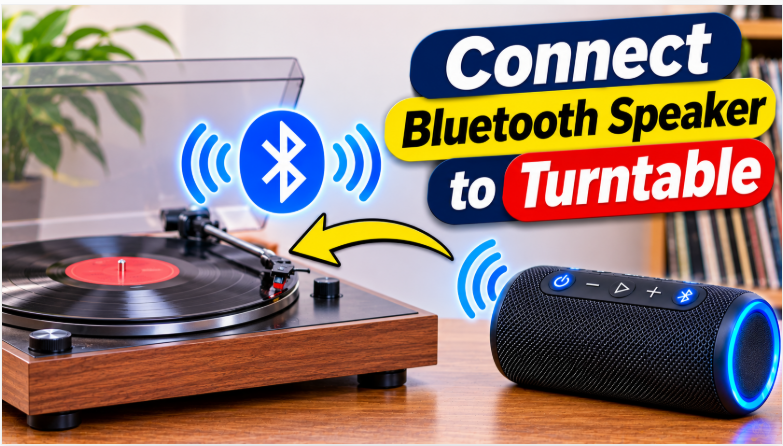
Quick answer: How to connect Bluetooth speaker to turntable? If your turntable has built-in Bluetooth, put the speaker in pairing mode and press the turntable’s Bluetooth button — it pairs in under a minute. If it has no Bluetooth, plug a Bluetooth transmitter into the turntable’s LINE output (or a phono preamp first if it only has PHONO), then pair the speaker to the transmitter.
Vinyl is back, and so is the problem that comes with it: the turntable sits in one corner and the speaker you actually want to hear sits somewhere else. A wire across the room fixes it, but a Bluetooth speaker fixes it better — no cable, and the speaker can move wherever you sit. The catch is that a turntable is not a phone. It doesn’t have a Bluetooth menu, and the signal coming out of it is far weaker than the signal a speaker expects. This guide shows you the exact chain for your turntable, whether it has Bluetooth built in or not, and the one switch that makes the whole thing fail if it’s in the wrong position.
How to Connect Bluetooth Speaker to Turntable
There are only two ways to do it. Either the turntable sends Bluetooth itself, or you add a small transmitter that sends it for you. Which one you need depends on two things: whether your turntable has a Bluetooth button, and whether its output is PHONO or LINE. Find those two facts first — the 30-second check in Step 1 — and the rest of the guide is just following the matching method. Our pairing guide covers the speaker side of Bluetooth in general, but this guide is only about the turntable half of the chain.
Step 1: Find Out What Your Turntable Sends
Look at the back of the turntable before you buy or press anything. You are looking for two things. First, a Bluetooth button or a Bluetooth logo — usually on the front or the top, sometimes marked with a small Bluetooth symbol. If it’s there, your turntable has a transmitter built in and you can use Method 1. Second, the RCA output jacks (the red and white plugs) and, nearby, a switch marked PHONO / LINE. That switch is the whole game: PHONO means the signal is raw and tiny, straight from the needle, and LINE means the turntable has already boosted it to the normal level a speaker expects.
Here is the quick test. If the switch is set to LINE, or there is no switch and the manual says the turntable has a built-in preamp, your turntable sends a line-level signal and a transmitter can plug straight in. If the only output is PHONO, the signal is too weak for a transmitter on its own — you need a phono preamp in the middle. A transmitter expecting line level cannot replace that stage, and turning the volume up won’t fix it either; the sound will stay faint and thin. The table below is the fastest way to pick your method:
| Your turntable | What to do |
| Built-in Bluetooth | Pair it directly — Method 1 |
| LINE output, no Bluetooth | Plug a transmitter into the RCA output — Method 2 |
| PHONO only, no Bluetooth | Phono preamp first, then a transmitter — Method 2 |
| No output at all (headphone jack only) | Use a 3.5mm cable into the speaker’s AUX input, or a transmitter on the headphone jack |
Method 1: Turntable With Built-In Bluetooth
Turntables with Bluetooth built in — the Audio-Technica AT-LP60XBT and AT-LP70XBT are the common ones — pair almost like a phone does, except the turntable starts the pairing, not the speaker. The steps below follow the AT-LP60XBT manual, and most other Bluetooth turntables work the same way with a different button name.
- Put the speaker in pairing mode. Turn the speaker on, then press and hold its Bluetooth button until the light flashes or you hear “pairing”. If the speaker was connected to your phone before, turn your phone’s Bluetooth off for a minute — otherwise the speaker may reconnect to the phone instead of the turntable.
- Put the speaker close to the turntable. Keep it within about 1 metre (3 feet) while pairing. You can move it away after the connection is made — Bluetooth reaches about 10 metres — but pairing at close range avoids the “it can’t find it” failure.
- Start pairing from the turntable. On the AT-LP60XBT, press and hold the wireless-function button for about two seconds. The indicator flashes red and blue while it searches. The turntable stays in pairing mode for 30 seconds, so don’t wander off mid-step.
- Wait for the solid blue light. When the indicator turns solid blue, the pairing is done. On the AT-LP70XBT the manual says to set the output to LINE for the Bluetooth connection — check your own manual for the same note.
- Drop the needle and play. Start the record. The sound should come from the speaker within a second or two. If the turntable has a volume knob, turn it up — the Bluetooth signal follows the turntable’s output level.
Once paired, the turntable usually reconnects to the same speaker automatically the next time both are on and nearby. To pair a different speaker, start the turntable’s pairing again — on the AT-LP60XBT a quick double-press of the Bluetooth button starts a fresh search. One limit to know: the turntable sends audio to one Bluetooth device at a time, so you can’t play one record through two speakers at once over Bluetooth. If you want two speakers playing together, pair the speakers to each other first (if they support stereo pairing), then connect one of them — our pairing guide shows how that works.
Method 2: Turntable Without Bluetooth
Most turntables — especially older and vintage ones — have no Bluetooth at all. For those, a Bluetooth transmitter does the sending. It’s a small device, usually under $25, that plugs into the turntable’s audio output and pairs with your speaker like a phone would. The chain depends on your output, and getting the order right matters more than the brand of transmitter you buy.
If your turntable has a LINE output: set the PHONO / LINE switch to LINE, then plug the transmitter into the RCA output with an RCA-to-3.5mm cable. Put the speaker in pairing mode, turn the transmitter on, and let the two find each other — most transmitters pair automatically within a minute. That’s the whole chain: LINE turntable, then transmitter, then Bluetooth speaker.
If your turntable has PHONO only: the chain has one extra link. Plug the turntable’s RCA output into a phono preamp first, then plug the transmitter into the preamp’s output. If the turntable has a ground wire — the thin black wire with a spade connector — attach it to the ground screw on the preamp, or you’ll hear a hum under the music. The full chain is: PHONO turntable, then phono preamp, then Bluetooth transmitter, then Bluetooth speaker. Skip the preamp and the sound stays faint no matter how high you turn the volume, because a transmitter cannot boost a phono signal on its own.
What to look for in a transmitter: Bluetooth 5.0 or newer, and aptX support if you can find it — U-Turn Audio recommends aptX transmitters for turntables, and our codecs guide explains why the codec matters. A transmitter with a 3.5mm input and an RCA cable in the box saves a separate purchase. And check that the transmitter has its own battery or a USB power cable — it needs power of its own, it doesn’t run off the turntable. If your turntable has a headphone jack and nothing else, a transmitter on that jack works too, though the sound follows the headphone volume, so set it to about three-quarters.
The PHONO vs LINE Switch — Get This Wrong and Nothing Works
If there is one mistake that kills more turntable-to-speaker setups than any other, it is this switch. The rule is short: PHONO output goes to a PHONO input only; LINE output goes to an AUX, LINE, or ordinary RCA input. A turntable set to PHONO and plugged into a speaker’s AUX input sounds faint and thin. A turntable set to LINE and plugged into a receiver’s PHONO input sounds loud and distorted. Both failures look like broken equipment, and neither one is.
So if you connected everything and the sound is wrong, check the switch before you check anything else. Set it to LINE when the other end is a transmitter, a powered speaker’s AUX input, or an amplifier’s AUX or LINE input. Set it to PHONO only when the other end is a dedicated PHONO input or a separate phono preamp. If the turntable has no switch at all, read the manual: a fixed LINE output means the preamp is built in, and a fixed PHONO output means you need an external one. This single check fixes the majority of “my turntable is too quiet” cases, and it takes five seconds.
Will Vinyl Still Sound Good Over Bluetooth?
Honest answer: good, but not identical to a wired connection. Bluetooth digitizes the analog signal and compresses it before it reaches the speaker, so some of the fine detail that vinyl lovers chase gets lost on the way. The size of the loss depends on the codec. Plain SBC — the codec every Bluetooth device supports — adds a delay of about 170–270 ms and the most compression. A transmitter and speaker that both support aptX sound noticeably better, and aptX Low Latency cuts the delay to about 32–40 ms, which matters if you watch video through the same speaker. Our codecs guide has the full numbers.
That said, for most rooms and most ears, a decent Bluetooth speaker with an aptX transmitter sounds very good. It beats the tiny built-in speakers on a cheap suitcase player by a long way, and it’s far more convenient than a cable across the floor. If you’re chasing the last bit of vinyl warmth, a wired connection to powered speakers is still the better choice. But if you want the record playing in the kitchen while the turntable stays in the living room, Bluetooth is the right tool. Keep the speaker close to the turntable’s side of the room when you can: a short wireless hop has fewer dropouts than a 10-metre one through walls, and our placement guide covers the spots that sound best.
How to Connect Bluetooth Speaker to Turntable When It Won’t Pair
Work through these in order — the first three fix most cases:
- The speaker is still connected to your phone. A speaker paired to a phone won’t show up for the turntable or the transmitter. Turn the phone’s Bluetooth off, then put the speaker in pairing mode again — the light should be flashing, not steady.
- The PHONO / LINE switch is in the wrong position. Faint, thin sound means the turntable is on PHONO while the other end expects LINE. Loud, distorted sound means the opposite. Flip the switch to match the input and try again.
- The pairing window ran out. The AT-LP60XBT stays in pairing mode for 30 seconds. If you took too long, the window closes and nothing pairs. Start the speaker’s pairing mode first, then the turntable’s, and keep both close together.
- The transmitter has no power. A transmitter with a dead battery looks exactly like a broken connection. Plug it into USB power or charge it, then pair again. If the transmitter’s light never comes on, the battery or cable is the problem, not the turntable.
- The turntable is too far from the speaker. Bluetooth reaches about 10 metres in open air, but walls and furniture cut that down. Pair with the speaker next to the turntable, then move it to its listening spot and check that the sound holds. If it drops out, move the speaker closer or raise it off the floor — our sound quality guide has more on dropouts.
- The speaker keeps turning off mid-record. Some speakers auto-power-off after a period with no signal, and the quiet gap between tracks can trigger it. Turn the turntable’s volume up a little, or disable the speaker’s auto-off in its app if it has one. If the speaker itself keeps shutting down, our turning-off guide covers the other causes.
The bottom line is simple: find out whether your turntable sends PHONO or LINE, pair a Bluetooth turntable directly, or add a preamp and a transmitter for an older one. The PHONO / LINE switch is the only step that quietly breaks everything, so check it first when the sound is wrong. And if you’re buying a speaker for the turntable, Bluetooth version and codec support are two of the 7 checks in our buying guide. Our best outdoor party speaker guide rounds up the picks that sound best in a living room.
FAQs: How to Connect Bluetooth Speaker to Turntable
How to connect Bluetooth speaker to turntable?
If the turntable has built-in Bluetooth, put the speaker in pairing mode and press the turntable’s Bluetooth button. If it has no Bluetooth, plug a transmitter into the LINE output — or a phono preamp first, then a transmitter, if the turntable only has PHONO.
Do I need a preamp to connect a turntable to a Bluetooth speaker?
Only if the turntable’s output is PHONO. A PHONO signal is too weak for a transmitter on its own, so a phono preamp has to boost it to line level first. If the turntable has a LINE output or a built-in preamp, no separate preamp is needed.
Can I connect a vintage turntable to a Bluetooth speaker?
Yes. A vintage turntable almost always has PHONO output only, so the chain is phono preamp, then Bluetooth transmitter, then speaker. It costs more than a direct pairing, but it works on any turntable with RCA outputs.
Why is my turntable so quiet through the Bluetooth speaker?
The PHONO / LINE switch is almost certainly in the wrong position — the turntable is sending a PHONO signal into a line-level input. Flip the switch to LINE (or add a preamp if the turntable only has PHONO) and the volume comes back.
Can I connect two Bluetooth speakers to one turntable?
Not over the turntable’s own Bluetooth — it pairs one audio device at a time. Pair the two speakers to each other first if they support stereo pairing, then connect one of them to the turntable.
Does Bluetooth ruin the vinyl sound?
It compresses the signal, so a wired connection sounds a little better — but with an aptX transmitter and a good speaker, most people can’t tell the difference in a normal room. Plain SBC is the weakest link; aptX or aptX Low Latency is worth having.