
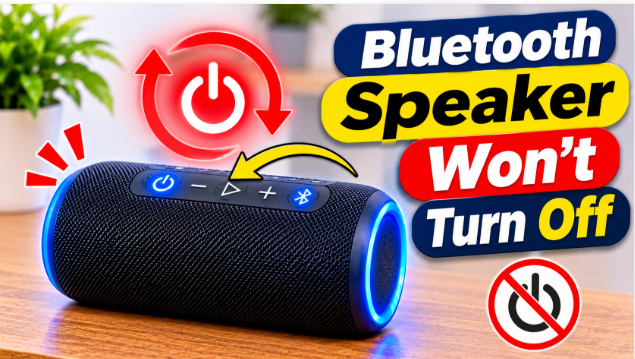
Quick answer: Your bluetooth speaker wont turn off because the power button is stuck, the software froze, or the speaker is locked in service mode. Hold the power button for 20 seconds first — that forces most speakers off. If it still won’t shut down, try the reset combination for your brand, or let the battery drain. The fixes below work for JBL, Bose, Sony, and most other brands.
It’s late, the music stopped hours ago, and the speaker is still on. The power button does nothing. The lights are still glowing, the battery is draining, and pressing the button harder only makes you worry you’ll break it. This is the opposite of the usual problem — our keeps-turning-off guide covers a speaker that shuts down too soon — and it has its own set of causes. The good news is that most won’t-turn-off cases are software, not hardware, and the fix takes under a minute. Start with the 30-second checks, then work through the force-off methods in order.
Bluetooth Speaker Wont Turn Off? Start Here
Before you try anything clever, do these three quick checks — one of them fixes most cases:
- Hold the power button longer than you think. A quick tap doesn’t turn a speaker off. Press and hold the power button for a full 20 seconds without letting go. Many speakers force-shutdown after 15 to 20 seconds even when a normal press does nothing.
- Unplug the charger. Some speakers won’t power off while they’re plugged in, because the charger keeps the circuits awake. Unplug it, wait 10 seconds, then hold the power button again.
- Disconnect your phone. Turn off Bluetooth on your phone, or forget the speaker from your phone’s Bluetooth list. A speaker that keeps getting woken up by a connected device can refuse to shut down — and once nothing is connected, it often powers off on its own.
If the speaker still won’t turn off after all three, it’s stuck — move on to the force-off methods below.
Why a Bluetooth Speaker Wont Turn Off
A speaker that won’t turn off is almost always one of five things. Knowing which one saves you from trying the wrong fix:
- The power button is stuck or dirty. Dust, sand, or dried drink residue can jam the button so it never actually presses. The button feels soft or doesn’t click. This is the most common hardware cause, and the easiest to fix.
- The software froze. Like a phone, a speaker runs software — and software can freeze. A frozen speaker ignores every button, including power. A long hold or a reset is the only way out.
- The speaker is in service mode. JBL speakers have a hidden service mode (sometimes called lock mode) that disables all the buttons so nobody can interrupt the music. It turns on by accident when you hold the Bluetooth and Play buttons together for 10 seconds — and then the power button does nothing at all.
- The firmware is out of date. Old firmware has bugs, and one of the known bugs on several brands is a power button that stops responding. If the speaker turns off fine after a reset but the problem comes back, a firmware update is usually the permanent fix.
- Water got inside. A speaker that got wet and then won’t turn off may have water on the circuit board, shorting the power circuit. If the speaker got rained on or dropped in a pool recently, treat it as a water problem first — our got-wet guide walks through the drying steps.
How to Force Your Bluetooth Speaker Off
Work through these in order. Stop as soon as one works — you don’t need to try them all:
- Hold the power button for 20 seconds. Press and hold, don’t tap. Count slowly to 20. The speaker should force-shutdown around 15 to 20 seconds, even if it resisted a normal press. Wait 10 seconds, then press power once to check it starts normally.
- Try the reset combination. On most JBL Flip, Charge, and Xtreme models, hold Volume Up and Play together for 3 to 5 seconds until the speaker powers off. On other brands, the usual combo is Power and Bluetooth together, or Power and Volume Down, held for 10 to 15 seconds. Check your manual if your brand uses a different pair.
- Exit service mode (JBL). If you have a JBL and all the buttons feel dead, it’s probably service mode. Plug the speaker into its charger, then hold the Bluetooth and Play buttons together for 10 seconds. The speaker should turn off — then press power once and it works normally.
- Use the pinhole reset. Some speakers have a tiny reset hole on the back or bottom. Push a paperclip gently into the hole and hold it for 5 seconds. Don’t force it — the hole is small and the button inside is delicate.
- Let the battery drain. If nothing else works, turn the volume down and let the speaker play until the battery dies. A fully charged speaker can take up to 12 hours, so this is the slow option — but it’s completely safe, and once the battery is flat, the speaker resets itself. Charge it fully before you turn it on again, and check our battery-life guide if the battery drains much faster than it should.
How to Fix It So It Turns Off Normally
Forcing it off solves tonight’s problem. These steps stop it from happening again:
Restart it once, properly. After the forced shutdown, turn the speaker on, let it play for a minute, then turn it off normally with a short press. If it turns off fine, the freeze is gone and you’re done.
Factory-reset it. A reset clears the glitch and all the saved pairings. On JBL, hold Volume Up and Play for 3 to 5 seconds until it powers off; on other brands, use the Power and Bluetooth combination for 10 to 15 seconds. You’ll need to pair your phone again afterwards — that’s normal.
Update the firmware. Open your brand’s app — JBL Portable, Sony Music Center, Bose Music, or Soundcore — and check for an update. A firmware update fixes the power-button bugs that a reset only hides for a while. Our firmware guide explains the update steps for each brand.
Clean the power button. If the button feels soft or doesn’t click, dirt is the likely cause. Wipe around the button with a dry cloth, then press it a few times to work the dirt out. For a deeper clean, our cleaning guide covers the safe way to clean buttons and ports without pushing dirt inside.
Dry it out fully. If water is the cause, don’t charge the speaker until it’s completely dry inside — charging a wet speaker can damage the circuits for good. Leave the port covers open for a full day in a dry room first.
When to Stop Fixing and Replace It
Most won’t-turn-off cases end with one of the fixes above. Stop and get help instead when you see one of these three signs. First, a swollen battery — if the speaker’s case is bulging, the seams are splitting, or the back feels puffed up, stop using it immediately and don’t charge it. A swollen lithium battery is a fire risk, and opening the speaker yourself can puncture it. Our battery replacement guide explains when a new battery is worth it and when the speaker is done. Second, water damage that won’t dry — if the speaker got soaked and still won’t respond after two full days of drying, the board is likely shorted and a repair shop is the next step. Third, the same problem every week — if you’ve reset and updated and it still won’t turn off, the power circuit itself is failing, and a new speaker costs less than a board repair on most budget models.
Warranty First, Then Replace
If the speaker is still under warranty, contact the brand before you open anything — opening the case voids most warranties, and a won’t-turn-off fault is usually covered. Keep the receipt and the serial number handy when you call. If the speaker is done and you’re shopping for a replacement, our best outdoor party speaker guide rounds up the current picks. And if your speaker has the opposite problem — it turns on fine but won’t stay on — our turn-on guide covers the dead-battery and faulty-button fixes for that side of it.
The bottom line is simple: hold the power button for 20 seconds first, then the reset combination, then service-mode exit if it’s a JBL. One of those three fixes almost every speaker that won’t turn off. If the problem keeps coming back, update the firmware — and if the battery is swollen or the speaker got soaked, stop and get help instead of forcing it.
FAQs: Bluetooth Speaker Wont Turn Off
Why wont my Bluetooth speaker turn off?
Usually a stuck power button, frozen software, or JBL service mode. Hold the power button for 20 seconds first — that forces most speakers off.
How do I force a Bluetooth speaker to turn off?
Hold the power button for 20 seconds. If that fails, try the reset combination — Volume Up and Play together on JBL, or Power and Bluetooth together on most other brands — held for 10 to 15 seconds.
What is service mode on a JBL speaker?
A hidden mode that locks all the buttons so nobody can interrupt the music. It turns on by accident when you hold Bluetooth and Play for 10 seconds. Plug the speaker into its charger, then hold Bluetooth and Play for 10 seconds to exit it.
Can I just let the battery drain?
Yes, it’s safe. Turn the volume down and let it play until it dies — up to 12 hours on a full charge. Once it’s flat, charge it fully before turning it on again.
Why does my speaker turn off by itself sometimes?
That’s the opposite problem — usually a low battery, auto-off, or a loose connection. Our keeps-turning-off guide covers those 8 fixes.
Is a speaker that won’t turn off dangerous?
Not usually — it’s a software freeze, not a fire risk. But if the battery is swollen or the case feels hot, stop using it and don’t charge it.