
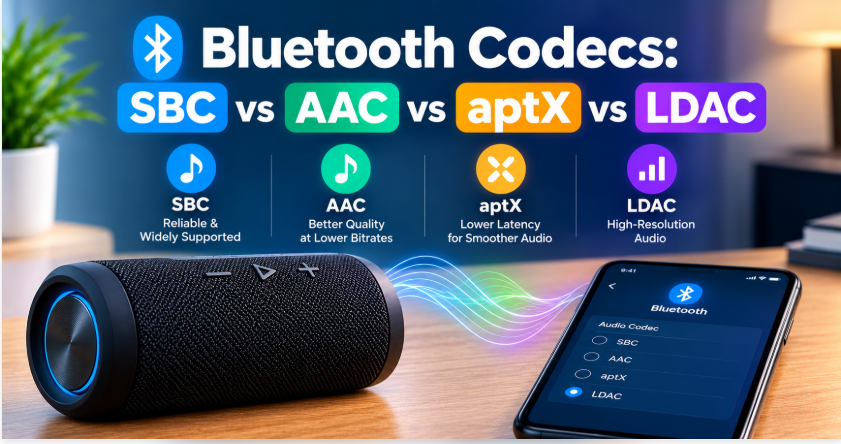
Quick answer: Bluetooth codecs are the compression methods that squeeze music into a Bluetooth signal. Your phone and your speaker must support the same codec, or they fall back to basic SBC. On paper, LDAC sounds best (highest bitrate), AAC is the best choice for iPhones, and aptX is the strong Android option — but in real life, your speaker’s hardware and tuning matter more than the codec. A great speaker on SBC beats a poor speaker on LDAC, every time.
Two speakers, same song, same phone — yet one sounds clearly better. The Bluetooth version is the same, the volume is the same, so what changed? Often, the answer is the codec: the invisible method your devices use to compress audio before sending it wirelessly. Nobody advertises it loudly, but it decides how much of the original music survives the trip. Here’s what each codec does, which devices support them, and which one you should actually care about.
What Are Bluetooth Codecs?
Bluetooth can’t send full, uncompressed studio audio — the wireless pipe is too narrow. So your phone compresses the music, sends it, and your speaker decompresses it. The codec is the recipe for that compression: how much data is kept, how much is thrown away, and how fast it travels. Higher bitrate generally means more detail kept — but only if both devices speak the same codec. If your phone offers LDAC but your speaker only supports SBC, they agree on SBC, the universal fallback every Bluetooth audio device supports. That’s the single most important rule: the codec you get is the best one both devices share, not the best one either device lists on its box.
Bluetooth Codecs Compared
| Codec | Max bitrate (approx.) | Latency | Supported by | Best for |
| SBC | ~345 kbps | Higher (~200ms) | All Bluetooth audio devices | Universal fallback |
| AAC | ~256 kbps | Moderate | Apple devices; many Android phones | iPhone users |
| aptX | ~352 kbps | Lower (~70–100ms) | Many Android phones + speakers | Android users, video |
| aptX HD / Adaptive | ~576 kbps | Low (Adaptive adjusts) | Newer Android devices | Higher quality + low delay |
| LDAC | ~990 kbps | Higher at best quality | Sony + Android 8 and newer | Best numbers, Hi-Res audio |
| aptX Lossless | ~1.1 Mbps | Low (Adaptive-based) | Recent Snapdragon phones + earbuds | CD-quality, niche for now |
| LHDC / HWA | ~900 kbps | Low (~30ms) | Huawei + select Android devices | Hi-Res on Huawei phones |
| Samsung Seamless | ~512 kbps | Varies | Samsung Galaxy phones + Galaxy Buds | Galaxy users only |
| LC3 (LE Audio) | Lower bitrate, efficient | Low | Newer LE Audio devices | Future standard, battery-friendly |
Bitrates are approximate maximums — real-world rates drop when the connection weakens, and LDAC in particular steps down its quality to hold the connection. Latency matters most for video. SBC’s higher delay (around 170–270ms) is part of why lip-sync can feel off on older setups. aptX Low Latency (around 32–40ms) and aptX Adaptive keep video and games in sync — so if you watch a lot of video or game on your speaker, low latency matters more than the highest bitrate. LC3, the codec of the newer LE Audio system, is the efficient newcomer: it delivers good quality at lower bitrates, which also saves battery — but both devices must support LE Audio for it to work.
SBC, AAC, aptX, and LDAC — One by One
SBC is the baseline everyone shares. It’s not bad — it’s just the lowest common denominator, designed for compatibility, not quality. Every Bluetooth speaker and phone supports it, which is exactly why it exists. One nuance worth knowing: SBC’s quality depends on a setting called the bitpool, which the manufacturer chooses — and some makers cap SBC at around 256 kbps to save battery. That’s why SBC can sound fine on one speaker and flat on another, even though the codec name is the same.
AAC is Apple’s favourite: iPhones use AAC with compatible speakers and sound very good doing it. On Android, AAC is a mixed story — many Android phones support it, but implementation quality varies, and on some Android phones AAC can actually sound worse than SBC. So AAC’s quality depends heavily on which phone you own.
aptX (by Qualcomm) is the Android world’s workhorse: a step up from SBC, with lower latency that helps video sync. aptX HD pushes quality higher, and aptX Adaptive adjusts itself — better quality when the connection is strong, lower delay when you need it, like in games or video.
LDAC (by Sony) has the biggest numbers: up to around 990 kbps, marketed for Hi-Res audio. It genuinely carries more detail — when the connection is strong. On a weak or crowded connection it steps down, and at its lower rates its advantage shrinks. It also doesn’t exist on iPhones at all: Apple devices support SBC and AAC only, so an iPhone will never use LDAC or aptX, no matter what the speaker supports.
Which Bluetooth Codec Sounds Best?
On paper: LDAC, by bitrate. In your ears: it depends. First, the source matters — a low-quality stream won’t magically improve through a better codec, because the detail was never there. Even a good stream hits a wall. Spotify streams at up to 320 kbps AAC, and while Apple Music offers lossless files, the Bluetooth chain is still the bottleneck. So the codec can only carry what the stream already gives it. Second, the speaker matters more — drivers, tuning, and placement shape sound far more than the codec does, which is why our sound quality guide focuses on EQ and placement before anything else. Third, battery matters too. Running LDAC at its top 990 kbps rate can use up to around 50% more battery than SBC. So the best-sounding codec is also the hungriest — another reason to check our battery life guide before chasing the highest numbers. Fourth, your hearing and environment matter: on a portable speaker outdoors, the difference between aptX and LDAC is very hard to hear; on good headphones in a quiet room, it’s easier. So treat the codec as a tiebreaker between two otherwise equal speakers — not as the reason to buy one.
How to Check Which Codec You’re Using
Android: enable Developer Options, connect your speaker, play music, then check the Bluetooth audio codec setting — it shows the active codec (and lets you change it on some phones).
iPhone: there’s no user-facing codec display. iPhones use AAC with AAC-compatible speakers and SBC otherwise — that’s the whole story, and it’s one reason iPhone users shouldn’t pay extra for LDAC or aptX support.
Device cheat sheet: iPhone and Mac — SBC and AAC only. Most Android phones — SBC, AAC, and LDAC, with aptX variants depending on the phone. Samsung Galaxy phones — plus Samsung’s own Seamless codec with Galaxy Buds. Windows 11 — SBC, AAC, and aptX.
Speaker specs: the product page or manual lists supported codecs. If it only says “Bluetooth 5.x” with no codec names, assume SBC (plus AAC on many models).
Range and connection: codec quality also drops with distance and interference — if sound suddenly worsens, you may have moved out of LDAC’s strong-connection zone, not broken anything. Our range guide explains what actually limits wireless distance.
Which Bluetooth Codec Should You Choose When Buying?
iPhone user: AAC support is all you need. Ignore LDAC and aptX on the spec sheet — your phone can’t use them.
Android user: aptX (or aptX Adaptive) is the practical sweet spot; LDAC is a bonus if you listen to Hi-Res files on a strong connection.
Video watcher or gamer: pick aptX Low Latency or aptX Adaptive — their low delay keeps lips and sound in sync, which matters more than bitrate here.
Everyone: don’t pay a premium for a codec alone. Sound quality, battery, build, and price come first — codec second. And if you connect your speaker to a laptop, check the laptop’s codec support too, since Windows support for aptX and LDAC varies by device and driver.
The Bottom Line on Bluetooth Codecs
Bluetooth codecs decide how much of your music survives the wireless trip — and the rule is simple: you get the best codec both devices share. LDAC has the best numbers, AAC is the iPhone answer, aptX is the Android workhorse, and SBC is the fallback that always works. But none of them rescue a poor speaker or a low-quality stream. If you’re comparing speakers, our pairing guide and our roundup of the best outdoor party speakers cover the features that matter day to day — codec support is one line on that list, not the headline.
FAQs: Bluetooth Codecs
What is a Bluetooth codec in simple words?
It’s the method your phone uses to compress music before sending it wirelessly to your speaker. Higher-quality codecs keep more detail, but both devices must support the same codec or they fall back to basic SBC.
Which is better, aptX or LDAC?
LDAC has higher maximum bitrate (around 990 kbps vs aptX’s 352 kbps), so it can carry more detail on a strong connection. aptX has lower latency, which helps video sync. For most listeners on portable speakers, the difference is small.
Does my iPhone support LDAC or aptX?
No. iPhones support SBC and AAC only. An iPhone will use AAC with compatible speakers and SBC otherwise, regardless of what the speaker supports.
Why does my speaker sound worse sometimes?
Codecs step down quality when the connection weakens — LDAC especially. Distance, walls, and interference can all reduce the effective bitrate, so sound changes with your environment, not just your settings.
Is SBC really that bad?
No — it’s the universal baseline, and on a good speaker it sounds perfectly fine for everyday listening. It’s the fallback that guarantees every device works together, which is its real job.
What is LC3 and should I care?
LC3 is the newer, efficient codec of the LE Audio system. It delivers good quality at lower bitrates and saves battery, but both your phone and speaker must support LE Audio. For most buyers today, it’s a future bonus, not a deciding factor.
1 thought on “Bluetooth Codecs Explained: SBC vs AAC vs aptX vs LDAC — Which Sounds Best?”