
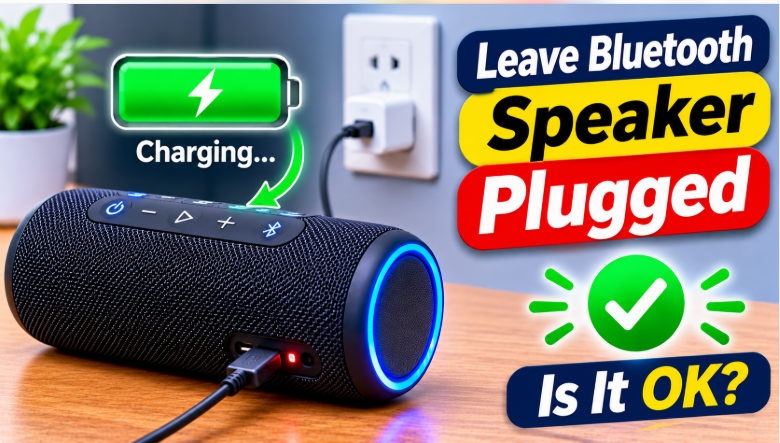
Quick answer: Can you leave Bluetooth speaker plugged in all the time? Yes — modern speakers stop charging at 100%, so it won’t overcharge or explode. But doing it every day slowly wears the battery down, so the better habit is to unplug once it’s full and let it run on battery for a while. The damage doesn’t show up in a day; it shows up over months, as shorter and shorter playtime.
It’s the easiest habit in the world: the speaker lives next to the outlet, so the cable stays in. It always works, it’s always full, and it feels like the smart thing to do. And for a day or a week, it is. The problem is what happens over months — a lithium battery kept at 100% all the time, warm from the charger, quietly loses capacity. One day you unplug it and it dies in two hours instead of ten, and the speaker isn’t broken — the battery just aged early. The good news: the fix is a habit, not a repair.
Can You Leave Bluetooth Speaker Plugged In
The short version: yes, you can, and nothing dramatic will happen. Modern Bluetooth speakers use lithium-ion batteries with built-in charge management — when the battery hits 100%, the speaker stops charging. It won’t keep pumping power in, and it won’t explode. Some manuals still warn against leaving a speaker plugged in for extended periods, and they’re right to — but the risk isn’t a fire, it’s a slow loss of battery life. This is a different question from using the speaker while it charges, which our while-charging guide covers — that one’s about playing music during a charge, this one’s about parking the speaker on the charger when you’re not even using it.
What Actually Happens When You Leave It Plugged In
When the battery reaches 100%, the charger stops — but the speaker keeps sipping tiny amounts of power to stay on, so the battery drops to 99%, and the charger tops it back up to 100%. That little 99-to-100 top-up, over and over, is called trickle charging, and it’s the part that stresses the cells. A lithium battery ages fastest at two extremes: sitting full, and sitting hot. A speaker left plugged in on a sunny windowsill is both at once. Treated well, a lithium battery stays reliable for 3 to 7 years; treated badly, you can notice the damage after just a year or two. Our battery life guide explains what actually drains a speaker fastest, and a battery parked at 100% is near the top of that list.
The 4 Things That Wear the Battery Down
- Sitting at 100% all the time. Lithium-ion batteries degrade faster when constantly kept at full charge. Over months, the battery’s maximum capacity shrinks — a full charge gives you 8 hours instead of 12, then 5, then 2.
- Heat. Charging generates heat, and heat is the silent killer of battery health. A speaker charging under a pillow, on a sunny windowsill, or next to a heater ages far faster than one charging in a cool, open spot. The ideal temperature for a battery is 20 to 30°C.
- A cheap charger. A no-name charger can deliver unstable voltage, which stresses the battery and the charging circuit. Use the charger that came with the speaker, or a certified one with the right voltage.
- Never being unplugged. Some speakers only run battery checks and recalibrate their battery indicator when they’re used on battery power. If you never unplug it, the battery percentage can drift — the speaker says 100% when the real capacity is far less.
The Right Habit: How to Charge It Instead
You don’t need a perfect routine — just a better one than “always plugged in”:
- Unplug once it’s full. There’s no benefit to leaving it connected after the battery hits 100%. Unplug it and let it run on battery.
- Recharge around 20 to 30%. Don’t wait until it dies, and don’t top it up from 90% every time. The 20–80% range is where lithium batteries are happiest — our charge-time guide shows how long a full charge actually takes, so you can plan it.
- Overnight is fine once in a while. Charging overnight occasionally won’t hurt it. Making it a nightly habit will, slowly, over months.
- Keep it cool while charging. A cool, open spot, out of direct sun, with air around it. If the speaker feels hot to the touch while charging, unplug it and let it cool down.
- Storing it for weeks? Leave it at about 50%. Don’t store a speaker full or empty for a long time — half full, in a cool dry place, is the kindest way to park it. Check it every month or two and top it back to 50% if it has dropped.
If it won’t charge at all anymore: a battery that died early from bad charging habits is the most common cause. Our not-charging guide walks through the checks, from the cable to the charging port, before you assume the battery is dead.
When Leaving It Plugged In IS the Right Call
There are two exceptions, and they’re both honest ones. First, some speakers are built for it: smart speakers with a charging dock, like some Sonos and Bose models, are designed to sit on the dock all day — the dock is part of the product, not an afterthought. Second, a damaged battery: if the battery only lasts a few minutes, leaving the speaker plugged in is the only way to keep using it, and it’s a reasonable temporary fix. But it’s temporary — a damaged battery can swell and overheat, so get it replaced. Our battery replacement guide covers which speakers allow it, the swollen-battery safety warning, and when it’s not worth fixing.
The bottom line is simple: leaving your speaker plugged in won’t break it today, but doing it every day will quietly shorten its life. Unplug it once it’s full, let it run down to around 20 or 30%, and charge it again. That’s the whole habit, and it’s the difference between a battery that lasts 3 to 7 years and one that gives up after a year or two. And if you’re shopping for a speaker next time, battery care is one of the 7 checks in our buying guide, and our best outdoor party speaker guide rounds up the picks that hold their charge the longest.
FAQs: Can You Leave Bluetooth Speaker Plugged In
Can you leave Bluetooth speaker plugged in all the time?
Yes, it won’t explode — modern speakers stop charging at 100%. But doing it every day wears the battery down faster, so unplug once it’s full.
Is it OK to leave a Bluetooth speaker plugged in overnight?
Once in a while, yes. Every night, no — the heat and the constant 100% slowly cut battery life over months.
Does leaving a speaker plugged in damage the battery?
Slowly, yes. Lithium batteries age faster when kept at full charge and warm. The damage shows up over months, not days, as shorter playtime.
Should I unplug my speaker when it’s fully charged?
Yes, if you can. Let it run on battery down to around 20 to 30%, then charge it again.
Can I leave my speaker plugged in if the battery is damaged?
Yes, as a temporary fix — but get the battery replaced, because a damaged battery can swell and overheat.
What is the best battery level to store a Bluetooth speaker?
Around 50%, in a cool dry place. Don’t store it full or empty for weeks — check it every month or two and top it back to 50% if it has dropped.