
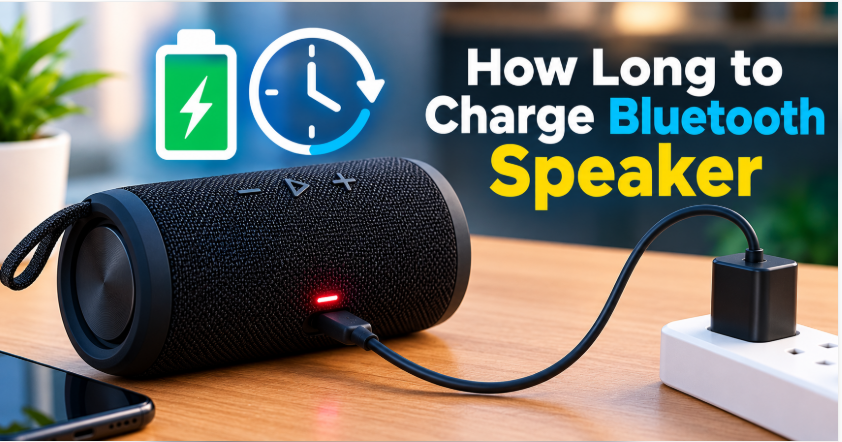
Quick answer: How long to charge Bluetooth speaker? Most small portable speakers take 2–3 hours, medium speakers 3–4 hours, and large party speakers 4–6 hours or more. The exact time depends on battery size, charger strength, and whether you play music while charging. Your speaker’s manual gives the exact figure for your model — the ranges in this guide tell you whether your charging time is normal or a sign of a problem.
You plug in your speaker before a party and wonder: will it be ready in time? Or it has been charging for hours and still isn’t full — is something wrong? Charging time is one of the most searched speaker questions, and the answer is never a single number, because it depends on the speaker, the charger, and how you use it while it charges. Here’s the full picture, with the averages, the factors, and the fixes.
Average Charging Times by Speaker Size
Battery size is the biggest factor, and size roughly follows speaker size:
| Speaker type | Typical charging time | |
| Small portable (pocket-size, mini speakers) | 2–3 hours | |
| Medium portable (the most common size) | 3–4 hours | |
| Large / party speakers (with big batteries) | 4–6 hours or more | |
| Speakers with fast charging (USB-C PD) | Often under 2 hours for a useful charge |
These are typical ranges, not promises — a speaker with an unusually large battery or a very weak charger can sit outside them and still be healthy. The number that matters most is your own model’s figure, which is printed in its manual or on the manufacturer’s product page. If your speaker charges within its size range, it’s behaving normally. If it takes far longer, the next sections explain why.
Real Examples: Popular Models’ Charging Times
Ranges are useful, but most people search for their own model. Here are manufacturer-stated charging times for a few popular speakers, so you can compare yours:
| Model | Full charge time (manufacturer spec) | |
| JBL Charge 5 | 4 hours | |
| JBL Charge 6 | 3 hours (with a 12–20V/3A charger) | |
| JBL Clip 5 | About 3 hours | |
| Marshall Kilburn II | About 2.5 hours |
Notice how a medium-size speaker like the Charge 6 charges faster than the older Charge 5 — that’s newer USB-C fast charging at work, not a smaller battery. And if your model isn’t listed here, its manual or the manufacturer’s product page will state its exact time; the size ranges above still tell you whether that number is normal.
What Affects How Long to Charge Bluetooth Speaker Models
Charger strength matters most. A weak 5W phone charger feeds power slowly; a proper 10W (5V/2A) wall charger feeds it roughly twice as fast. A laptop USB port is usually weaker than a wall charger, so the same speaker charges noticeably slower from a laptop. Cable quality matters too — a thin, worn, or very long cable delivers less power than a short, good-quality one. One nuance worth knowing: a speaker’s advertised fast-charge time assumes a strong charger — for example, a 3-hour fast charge may need a 12–20V/3A USB-C PD charger, and the same speaker on an old 5V charger will take noticeably longer even though it “supports fast charging.”
Playing while charging slows everything down. Music consumes part of the incoming power, leaving less for the battery — at high volume, a speaker can use nearly as much as a weak charger supplies. If you’re in a hurry, pause the music while it charges.
Battery age and temperature also play a role. An old battery charges slower and holds less than a new one — that’s normal aging, not a fault. And extreme cold or heat slows charging too, because the protection circuit throttles power to keep the battery safe. Charge at room temperature whenever you can. Our battery life guide explains battery aging in detail, including how long a healthy battery should last.
How to Charge Your Speaker Faster
- Use a proper wall charger (at least 5V/2A), not a weak phone charger or a laptop port.
- Use a short, good-quality cable — preferably the one that came with the speaker.
- Pause the music while charging, so all incoming power goes to the battery.
- Charge at room temperature, not in a hot car or a cold balcony.
- Clean the charging port gently (dry soft brush or wooden toothpick, never metal) — lint in the port reduces contact and slows charging.
- If your speaker supports USB-C fast charging, use a USB-C PD charger to actually get that speed — an old charger won’t trigger it.
- Use a quick top-up when you’re in a hurry: many modern speakers give hours of playback from a short charge — for example, about 10 minutes of charging can give roughly 2–3 hours of playback on some models. It’s not a full charge, but it’s often enough for the evening.
Can You Charge From a Laptop or Power Bank?
Yes, both work — but at different speeds. A laptop USB port usually delivers less power than a wall charger, so expect charging to take roughly a third longer, sometimes more on older laptops. A power bank is a better backup: a decent one delivers wall-charger-like power, and it’s the practical option when there’s no outlet nearby. The one thing to avoid is a very old, weak power bank that barely outputs anything — the speaker may show “charging” while the percentage hardly moves. If you’re charging from a laptop and it’s slow, that’s the port, not the speaker.
First Charge: How Long Should It Take?
Old advice said to charge a new device for 8–12 hours the first time. That was for old nickel batteries — it does not apply to modern lithium-ion speakers. For a new speaker, just charge it until the indicator says full (usually the size-range time above), then unplug and use it. No marathon first charge, no “conditioning” ritual. Leaving it plugged in far beyond full on day one doesn’t help the battery — it just keeps it sitting hot at 100%.
When Slow Charging Means Something Is Wrong
Charging slightly slower than the range is usually just a weak charger. But these signs point to a real problem: the speaker never reaches full even overnight, the charging light flickers or never comes on, the port feels loose, or the speaker gets very hot while charging. Two things that look like problems but usually aren’t: first, if the battery is already near full, some speakers simply won’t charge until the level drops a bit — plugged in but not charging at 95% is normal standby behaviour, not a fault. Second, some newer speakers warn you (with a sound) if the USB-C connector detects water, salt, or chemicals — if you hear that, don’t charge until the connector is completely dry and clean. In the real-problem cases, the cause is usually the cable, the charger, a dirty or damaged port, or an aged battery. If the speaker won’t charge at all, that guide walks through the diagnosis step by step. And if it gets uncomfortably hot while charging, unplug it and let it cool. Heat is the one thing that genuinely damages batteries. If a speaker keeps turning off on its own, overheating is one of the causes to check.
The Bottom Line on How Long to Charge Bluetooth Speaker Batteries
Most speakers charge in 2–6 hours depending on size, with small ones fastest and party speakers slowest. A proper wall charger, a good cable, room temperature, and paused music are all you need to hit the fast end of that range. And if your speaker suddenly takes far longer than it used to, the charger, cable, port, or battery age is almost always the reason — not the speaker itself. If you’re shopping for a speaker that charges fast and plays long, our roundup of the best outdoor party speakers includes models built for heavy daily use.
FAQs: How Long to Charge Bluetooth Speaker
How long does a small Bluetooth speaker take to charge?
Usually 2–3 hours with a proper wall charger. With a weak phone charger or a laptop USB port, it can take noticeably longer.
Can I leave my Bluetooth speaker charging overnight?
Occasionally, yes — protection circuits prevent overcharging. But making it a nightly habit keeps the battery hot at 100% and ages it faster, so unplug when it’s full when you can.
Why is my speaker charging so slowly?
Most often a weak charger, a worn cable, playing music while charging, or a dirty port. Try a 5V/2A wall charger, a good cable, and paused music first — if it’s still slow, the battery may be aged.
Does fast charging damage a Bluetooth speaker?
No, as long as the speaker supports it. USB-C PD fast charging is managed by the speaker’s own circuit. Forcing a fast charger on a speaker that doesn’t support it doesn’t speed anything up — it just charges at its normal rate.
Should I fully drain the battery before charging?
No — that’s another old-battery myth. Lithium-ion batteries prefer partial charges. Charge when convenient; don’t wait for 0%.
How do I know when my speaker is fully charged?
Most speakers show it: the charging light turns from red or blinking to solid green or white, or switches off entirely. Your manual states the exact signal for your model.
1 thought on “How Long Does It Take to Charge a Bluetooth Speaker?”