
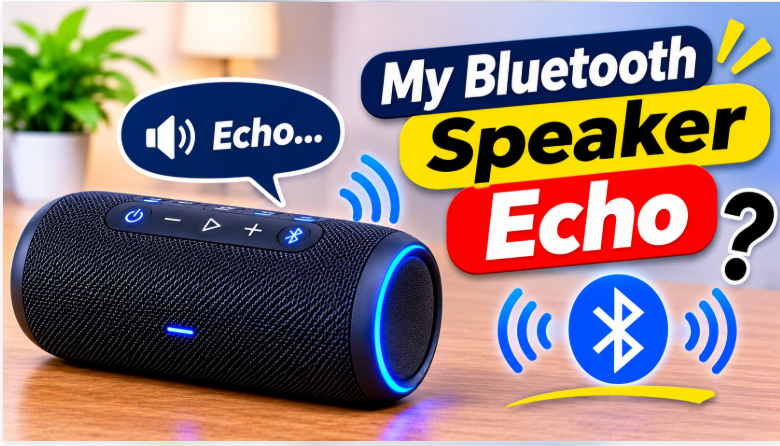
Quick answer: Why does my Bluetooth speaker echo? Because the sound it plays is being picked up again — by a microphone, by a second output playing at the same time, or by hard walls bouncing it back. The fix is usually simple: turn off the second output, move the speaker away from the wall, or lower the volume. The 7 fixes below go in order, from the most common cause to the least.
Echo is one of those problems that sounds like the speaker is broken, and almost never is. The speaker is playing the sound correctly — something is just catching that sound and playing it a second time, a fraction of a second late, so your ears hear it twice. The trick is finding out what is catching it. There are two kinds, and they have different fixes: music echo, where the sound doubles while you’re listening, and call echo, where the person on the other end hears themselves. Work out which one you have, then start with Fix 1.
Why Does My Bluetooth Speaker Echo?
Start here, because the fix depends on the kind of echo. If the echo happens while you’re playing music or watching a video, it’s usually double audio or room reflections. If it happens during a call, it’s almost always the microphone — many portable speakers double as speakerphones, and during a call the built-in mic picks up the speaker’s own output and sends it back. The two kinds overlap, but the first question to ask is always the same: is a second sound source playing, or is a microphone listening? If the echo shows up on calls, our conference calls guide covers the call setup in detail.
What Causes the Echo?
- The microphone feedback loop. The speaker’s own mic — or your phone’s or laptop’s mic — picks up the speaker’s output and sends it back through the speaker. This is the classic call echo, and it gets worse the louder the speaker is.
- Double audio. Two outputs playing the same sound at once: the TV speakers still on while the Bluetooth speaker plays, or the phone’s built-in speaker and the Bluetooth speaker both on. The two copies arrive a fraction of a second apart, and your ears hear it as an echo.
- Room reflections. Hard surfaces — bare walls, glass, tile, concrete — bounce sound back into the room. A speaker pushed into a corner or against a wall sounds echoey even when nothing is wrong with it.
- Bluetooth latency and codec mismatch. Bluetooth always adds a small delay, and older codecs add more. When the delay is big enough, the sound overlaps itself. Our codecs guide explains which codecs are slowest and why.
- Old firmware. Outdated firmware can mishandle audio buffers or fail to mute the internal mic properly. If the echo started after months of normal use, an update is a real suspect.
Fix the Double Audio First
Fix 1 — Turn off the second output. If the speaker is connected to your TV, mute the TV speakers — the same sound from the TV and the Bluetooth speaker a fraction of a second apart, that’s the most common TV echo of all. If it’s your phone, check that the sound is coming only from the Bluetooth speaker, not from the phone’s own speaker too. Turn off “dual audio” or “multi-output” in your phone’s Bluetooth settings if it’s on.
Fix 2 — Disconnect the devices you’re not using. A speaker handles one audio stream at a time. If your phone and your laptop are both connected, one can send a stray sound — a message alert, a voice assistant, a background app — while the other plays music, and the overlap sounds like an echo. Disconnect the one you’re not using, or turn its Bluetooth off.
Move the Speaker and Lower the Volume
Fix 3 — Move the speaker away from walls and corners. Pull it at least a foot away from the wall, out of the corner, and off bare tile or glass if you can. Soft things absorb sound — a rug, a curtain, a sofa nearby — and they cut the reflection that sounds like echo. Our placement guide covers the best spots room by room.
Fix 4 — Lower the volume. Loud volume makes every other cause worse: it overwhelms nearby microphones, it bounces harder off walls, and it makes the delay more noticeable. Drop the volume a few notches and listen — if the echo shrinks with the volume, the speaker is fine and the room or the mic was the problem.
Reset and Update
Fix 5 — Forget and re-pair, one device only. In your phone’s Bluetooth settings, “Forget” the speaker, then pair it again from scratch. Reconnect only the device you actually use, and test before adding a second one. This clears corrupted pairing data, which is a common cause of strange audio problems. Our pairing guide walks through the pairing part step by step.
Fix 6 — Restart both devices. Turn the speaker off completely, wait 30 seconds, turn it back on, and restart your phone too. This clears temporary glitches and resets the Bluetooth connection. Simple, but it fixes more echo cases than you’d expect.
Fix 7 — Update the firmware. Open the brand’s app and check for a firmware update — updates fix audio bugs and mic handling, and they sometimes improve codec support. Our firmware guide covers the app method for every major brand, and the 4 safety rules that stop an update from bricking your speaker.
The bottom line is simple: echo is almost never a broken speaker. It’s a second copy of the sound — from another output, from a microphone, or from the walls. Kill the second copy and the echo goes with it. Start with the double audio, then the placement, then the reset, and only then the update. And if you’re shopping for a speaker next time, one with a good mic and proper echo cancellation is worth paying for. Our best outdoor party speaker guide rounds up the picks that sound clean even in a hard, empty room.
FAQs: Why Does My Bluetooth Speaker Echo?
Why does my Bluetooth speaker echo?
The sound it plays is being picked up again — by a microphone, by a second output playing at the same time, or by hard walls bouncing it back. The most common cause is a second output still on, or the speaker’s mic during a call.
Why does my speaker echo only during calls?
Calls use the Hands-Free profile, which is two-way and slower than music playback. The mic picks up the speaker’s own sound and sends it back. Lower the volume and move the speaker away from you.
Why does my speaker echo when connected to my TV?
The TV speakers are probably still on — the same sound comes from the TV and the Bluetooth speaker a fraction of a second apart. Mute the TV speakers.
Can Bluetooth latency cause echo?
Yes. A small delay makes two copies of the sound overlap. Keep the phone close, use a low-latency codec if the speaker supports it, and update the firmware.
Why does my speaker echo with two devices connected?
The speaker handles one audio stream at a time. Two devices sending sound at once overlap and sound like an echo. Disconnect the one you’re not using.
Will updating the firmware stop the echo?
It can help — updates fix audio bugs and mic handling. If the echo stays after updating, the cause is usually placement or a second output.