
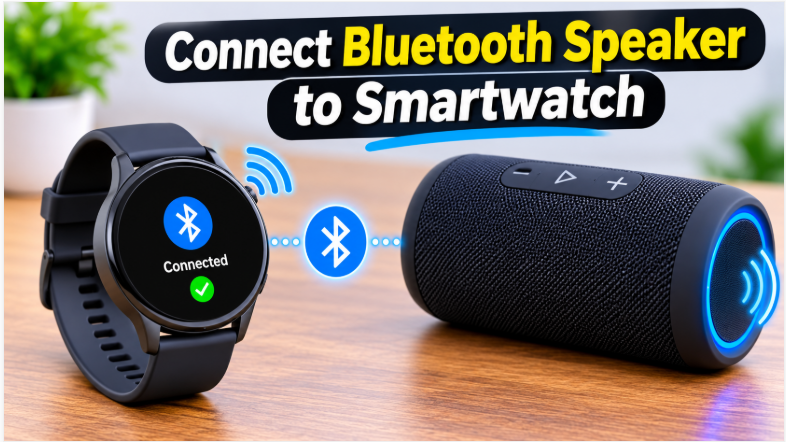
Quick answer: Here’s how to connect Bluetooth speaker to smartwatch: put the speaker in pairing mode, then open Settings > Bluetooth on your watch and tap the speaker’s name. On Apple Watch it’s Settings > Bluetooth; on Samsung Galaxy Watch it’s Settings > Connections > Bluetooth > Bluetooth audio. Keep the speaker within 1 metre while pairing, and the music plays straight from your watch — no phone needed.
Your watch is already on your wrist at the gym, on a run, or at the park — and your phone is in a locker, in a pocket, or at home. A Bluetooth speaker turns that watch into a tiny music system: the playlist lives on the watch, the sound comes out of the speaker, and your phone stays out of it entirely. The setup takes about two minutes, and once it’s paired, the watch reconnects to the speaker automatically every time you turn it on. This guide covers Apple Watch and Samsung Galaxy Watch step by step, what to play without a phone, and the fixes for when the speaker won’t show up.
How to Connect Bluetooth Speaker to Smartwatch
The whole job is three moves, and they’re the same on every watch. First, put the speaker in pairing mode — usually by holding its Bluetooth button for 3 to 5 seconds until the light flashes. Second, open the Bluetooth settings on your watch. Third, tap the speaker’s name and wait for “Connected”. If you’ve paired a speaker with a phone before, this will feel familiar — our pairing guide explains the pairing-mode part in detail. The only real difference with a watch is the small screen: the menus are shorter, the list shows fewer devices, and you confirm with a tap instead of a click. Keep the speaker within 1 metre of the watch while you pair, and make sure the speaker isn’t already connected to your phone — a speaker can only play from one device at a time.
Before You Start: Does Your Smartwatch Support It?
Not every smartwatch can send audio to a speaker, so check yours first — it saves a frustrating ten minutes. Apple Watch Series 3 and later can stream audio to Bluetooth speakers. Samsung Galaxy Watch 4 and newer (including Watch 6, Watch 8, and Watch Ultra) can too, running Wear OS. Most other Wear OS watches — Fossil, TicWatch, Pixel Watch — also support it. The rule is simple: if your watch has Bluetooth 4.0 or higher and a Music app, it can almost certainly do this. Older fitness bands and basic watches usually can’t — they track steps and show notifications, but they don’t stream audio at all.
Two more things to check before you start. First, charge both devices — a watch with 10 percent battery can drop the connection mid-song, and a speaker with a flat battery won’t even show up in the list. Second, know that the watch plays music over Bluetooth using the SBC or AAC codec — the same as a phone — so the sound quality is the same as you’d get from your phone. Our codecs guide explains what those letters mean if you’re curious.
How to Connect Bluetooth Speaker to Apple Watch
Apple Watch pairs from the watch itself — you don’t need the iPhone for the pairing, though the watch needs an iPhone for its first setup, as our iPhone guide explains. Here’s the exact path:
- Put the speaker in pairing mode. Turn the speaker on, then press and hold its Bluetooth button for 3 to 5 seconds until the light flashes. If the speaker was paired to your phone before, it may connect to the phone instead — turn off your phone’s Bluetooth first.
- Open Settings on your Apple Watch. Press the Digital Crown to see your apps, then tap the Settings app (the grey gear).
- Tap Bluetooth. Make sure Bluetooth is on. The watch starts scanning, and your speaker’s name appears under Devices.
- Tap the speaker’s name. It changes from “Not Paired” to “Connected”. If it asks for a PIN, try 0000 or 1234.
- Play something. Open the Music app on your watch and start a song. The audio should come out of the speaker right away.
If the music still comes out of the watch’s own tiny speaker, the output didn’t switch. Press the side button to open Control Center, tap the AirPlay button, and select your speaker from the list. That routes the audio to the speaker even when the watch paired with it fine. The same AirPlay screen also switches to a HomePod — but a HomePod needs the same Wi-Fi network as your iPhone, while a Bluetooth speaker just needs Bluetooth.
How to Connect Bluetooth Speaker to Samsung Galaxy Watch
Galaxy Watch uses one extra menu level, but the steps are just as short. This works on Galaxy Watch 4, Watch 6, Watch 8, and Watch Ultra:
- Put the speaker in pairing mode. Turn it on, then hold its Bluetooth button for 3 to 5 seconds until the light flashes. Turn off your phone’s Bluetooth first if the speaker keeps connecting to the phone.
- Open Settings on your Galaxy Watch. Swipe up from the watch face to open the app drawer, then tap the Settings gear icon.
- Tap Connections, then Bluetooth. Turn Bluetooth on. The watch starts scanning for nearby devices.
- Tap Bluetooth audio. This is the step people miss — the speaker list lives under Bluetooth audio, not the main Bluetooth screen. Tap Scan if the speaker doesn’t appear.
- Tap the speaker’s name, then the check mark. A prompt asks you to confirm the pairing. Tap the blue check mark, and the speaker shows “Connected” underneath its name.
After pairing, you can set the speaker as the preferred audio output: go to Settings > Connections > Bluetooth > Paired devices and select your speaker. Samsung’s own support page also notes you can pair two Bluetooth devices at once — so the watch can stay connected to your earbuds and the speaker, and it switches between them. If the speaker connects but the sound still comes from the watch, check the Call audio and Media audio switches next to the speaker’s name — both need to be on for music to play through it.
What to Play Without Your Phone
Pairing is only half the point — the real win is leaving the phone behind. Your watch can play music on its own in two ways. First, synced music: the Apple Watch Music app and Samsung’s music apps let you store songs directly on the watch, and they play to the speaker with no phone anywhere near. Second, offline streaming: Spotify and similar apps on the watch let you download playlists to the watch over Wi-Fi, then play them offline at the gym or on a run. Podcasts work the same way — download an episode on Wi-Fi, play it on the speaker later.
Two honest limits to know. The watch’s battery drains faster when it streams Bluetooth audio — expect noticeably shorter watch battery on a long music day, so charge the watch before a long session. And the watch’s storage is small, so you can’t carry your whole library — pick a few playlists, not everything. If the speaker keeps turning itself off mid-workout, our keeps-turning-off guide covers those 8 fixes. Our battery-life guide covers the speaker’s side of the same question, and our buying guide lists battery life as one of the 7 checks if you’re shopping for a speaker to use this way.
How to Connect Bluetooth Speaker to Smartwatch When It Won’t Pair
If the speaker doesn’t appear in the watch’s list, work through these in order — the first three fix most cases:
- The speaker is still connected to your phone. A speaker paired to a phone grabs the phone first and ignores the watch. Turn off your phone’s Bluetooth, then put the speaker back in pairing mode and scan again from the watch.
- The speaker isn’t in pairing mode. A speaker that’s just on isn’t discoverable — it has to be in pairing mode, with the light flashing. Hold the Bluetooth button for 3 to 5 seconds. If the light is steady instead of flashing, it’s already connected to something else.
- The watch is too far away. Pairing needs the speaker within 1 metre of the watch. Put the speaker on the table next to you, not across the room — the range opens up to about 10 metres after pairing, but the first connection wants them close.
The Last Three Fixes
- Bluetooth is off on the watch. It sounds obvious, but the watch’s Bluetooth toggle is easy to knock off in Control Center. Open Settings > Bluetooth and check the switch is on — on Galaxy Watch, check it under Connections > Bluetooth.
- The speaker needs a restart. Turn the speaker off, wait 10 seconds, turn it back on, and put it in pairing mode again. If the watch still can’t see it, restart the watch too — a frozen Bluetooth stack on either side blocks the scan.
- The watch can’t stream audio. If the speaker pairs with your phone fine but never appears on the watch, the watch probably doesn’t support audio streaming — older fitness bands and basic watches don’t. Check your model against the list in the “Before You Start” section above.
The bottom line is simple: speaker in pairing mode, watch Bluetooth on, tap the name — that’s the whole job on Apple Watch and Galaxy Watch alike. The music lives on the watch, the sound comes out of the speaker, and your phone can stay in your pocket or at home. And once it’s paired, the watch reconnects automatically — just turn the speaker on and press play. If you’re picking a speaker for workouts and outdoor use, our best outdoor party speaker guide rounds up the portable picks.
FAQs: How to Connect Bluetooth Speaker to Smartwatch
How to connect Bluetooth speaker to smartwatch?
Put the speaker in pairing mode, then open Settings > Bluetooth on your watch and tap the speaker’s name. On Galaxy Watch, the speaker list is under Connections > Bluetooth > Bluetooth audio.
Can I play music from my Apple Watch to a Bluetooth speaker?
Yes — Apple Watch Series 3 and later can stream to any Bluetooth speaker. Pair it in Settings > Bluetooth, then play from the Music app. Use the AirPlay button in Control Center if the sound doesn’t switch.
Can I connect a Bluetooth speaker to my Samsung Galaxy Watch?
Yes — Galaxy Watch 4 and newer support it. Go to Settings > Connections > Bluetooth > Bluetooth audio, tap Scan, then tap your speaker and confirm with the check mark.
Do I need my phone nearby?
Only for the first setup. Once paired, the watch plays its own stored music or downloaded playlists to the speaker with no phone around.
Why won’t my speaker show up on my watch?
Usually it’s still connected to your phone, or it isn’t in pairing mode. Turn off your phone’s Bluetooth, put the speaker in pairing mode with the light flashing, and scan again within 1 metre.
Does it drain the watch battery faster?
Yes. Streaming Bluetooth audio uses noticeably more watch battery, so charge the watch before a long session — and keep the speaker charged too.