
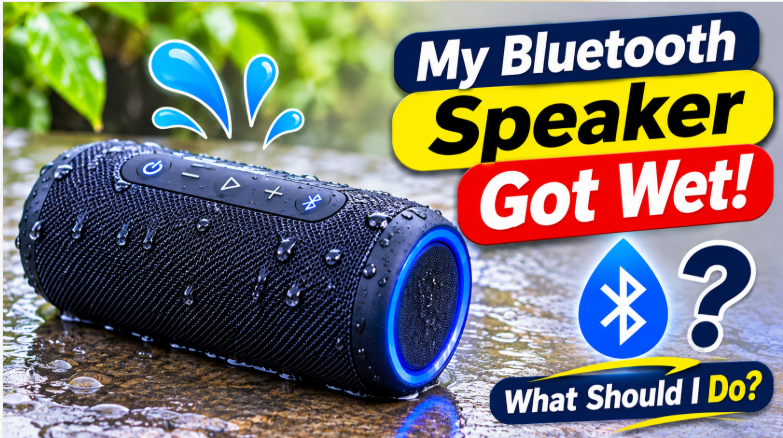
Quick answer: My Bluetooth speaker got wet? Turn it off right now and do not charge it. Wipe it dry, hold it with the ports facing down, and let it dry in open air for at least 48 hours. Most speakers that were only splashed or briefly dunked in clean water survive — the ones that die are usually the ones someone switched on too soon.
It happens in a second: a wave hits the poolside table, a drink tips over, the rain starts while the speaker is still outside. Your first instinct is to press the power button to check if it still works. Don’t. That one press is the most common reason a wet speaker dies — electricity and water inside the same circuit is what causes the short, not the water alone. The next five minutes decide whether your speaker lives or not, and the fix costs nothing.
My Bluetooth Speaker Got Wet
Here’s the honest truth: getting wet does not automatically kill a Bluetooth speaker. Water itself is not the killer — power running through wet circuits is. If the speaker was off when it got wet and stays off until it is properly dry, the odds are genuinely good. If it was playing when it fell in, the odds are worse, but still not zero. Three things decide the outcome: how fast you act, what kind of water it was, and how long you wait before switching it on again. A speaker that went into a pool and was dried properly can play again for years. A speaker that got a small splash and was charged an hour later can die the same night.
What to Do After My Bluetooth Speaker Got Wet: The First 5 Minutes
Do these in order, and do nothing else first:
- Turn it off immediately. If it is playing, press the power button once to switch it off, then leave the buttons alone. Don’t press anything else to “test” it — every press sends power through wet parts.
- Unplug everything. Pull out the charging cable and any AUX cable. Never charge a wet speaker — charging a wet circuit is the fastest way to fry it.
- Wipe the outside dry. Use a soft cloth or a towel. Pay attention to the charging port, the grille, and the seams around the buttons, where water sits and seeps in.
- Hold it ports-down and shake gently. Tip the speaker so the ports face down and give it a few gentle shakes to let trapped water drain out. Gentle is the key word — hard shaking can push water deeper inside.
- Take off anything that comes off easily. Straps, covers, a grille that pops off without force. If something needs a tool or force, leave it — forcing a sealed speaker open breaks the waterproof seal and can void the warranty.
That’s it for the first five minutes. No hair dryer, no rice yet, no switching it on “just to check”. The drying starts now.
How to Dry It Properly (48 to 72 Hours)
The hardest part of saving a wet speaker is waiting. The inside needs at least 48 hours to dry — 72 is safer — and there is no shortcut that does not add risk.
Air dry it upright in a ventilated room. Stand the speaker with the ports facing down on a dry towel, in a room with moving air. A fan nearby helps, but don’t point it straight into the ports. Normal room temperature is perfect.
Silica gel is the best drying method. Those little gel packets that come in shoe boxes and vitamin bottles absorb moisture far better than anything else. Put the speaker in a sealed container or a zip bag with as many silica gel packets as you can gather, and leave it for 48 hours. You can buy them cheaply online if you don’t have any at home.
Rice works, but it is the weaker option. Uncooked rice does absorb moisture, just slowly, and it leaves fine starchy dust that can get into the ports and the grille. If rice is all you have, use it — a sealed bag of rice for 48 hours is far better than switching the speaker on wet. But if you can get silica gel, use that instead. And if the speaker got wet with anything sticky, wipe it first — our cleaning guide shows how to clean a speaker without damaging it.
Never use heat to dry it. No hair dryer, no oven, no radiator, no direct sunlight on a hot day. Heat warps plastic, melts glue, damages the battery, and pushes moisture deeper into the circuits. A speaker dried with a hair dryer often looks fine on the outside and never works properly again.
Then test it slowly. After 48 to 72 hours, press power once. If it turns on, start at low volume and listen. If the sound is muffled or crackly, switch it off and give it another day — there is probably still water behind the grille, and playing a low-frequency tone at low volume can help shake the last drops out.
What Your IP Rating Actually Means
That IP number on the box is the first thing people check after a speaker gets wet — and the most misunderstood. IP stands for Ingress Protection, and the number after it tells you how much water the speaker was tested against in a lab, in clean fresh water, when it was brand new.
| Rating | What it means | Real life |
| IPX4 | Splashes from any direction | Light rain and small spills are fine |
| IPX5 | Water jets from any direction | Heavy rain and a hose splash are fine |
| IPX7 | Under 1 metre of water for 30 minutes | A short drop in the pool is usually fine |
| IP67 | Dust-tight plus IPX7 water protection | Pool drop and beach sand are fine |
| IP68 | Dust-tight plus deeper, longer immersion | Longer underwater use, check the manual for the exact depth |
Three honest warnings about that table. First, “waterproof” on the box really means water-resistant — no speaker is guaranteed against water forever. Second, the rating is tested in clean fresh water, not pool water, sea water, or juice. Third, the rating drops as the speaker ages: seals wear out, a drop can crack the casing, and a two-year-old IP67 speaker is not as sealed as it was on day one. If your speaker has no IP rating at all, assume it has no water protection — even a splash can reach the circuits. And if you’re shopping for a replacement, water resistance is one of the checks in our waterproof speaker buying guide.
Not All Water Is Equal
Clean fresh water is the kindest accident. Pool water, sea water, and sugary drinks are all worse, each in its own way:
Fresh water (rain, tap water, a splash). The best-case accident. Follow the drying steps above and the speaker will usually recover.
Pool water (chlorine). Chlorine is a chemical, and it keeps working on metal parts after the water dries. After the first wipe-down, rinse the speaker gently with clean fresh water while it is still off and unplugged, then dry it again from the start. Yes — rinsing a wet speaker sounds wrong, but clean water washes the chlorine out before it can corrode anything.
Salt water (sea, beach). The worst one. Salt is corrosive, and it starts eating metal contacts within hours. Act fast: rinse gently with clean fresh water or distilled water as soon as you can, while the speaker is off, then dry it for the full 72 hours. If it was fully submerged in the sea, even perfect drying sometimes isn’t enough — salt gets into places you can’t reach.
Sugary drinks, beer, juice. The problem here is not just water, it’s what is left behind when the water dries: sticky residue that glues buttons, clogs the grille, and attracts dust. Wipe it thoroughly with a slightly damp cloth, rinse gently with clean water if it was a big spill, then dry it fully. Sticky buttons after drying usually mean residue is still inside.
Signs It Might Be Damaged
After the full drying time, switch it on and check for these. One sign alone does not mean it is dead — but two or three together usually do:
It won’t turn on at all. The battery or the power circuit may be shorted. Before you give up, try a different cable and charger — our not-charging guide walks through the checks, because sometimes the problem is the cable, not the speaker.
It turns on but the sound is muffled or distorted. Water is usually still behind the grille or on the driver. Switch it off and dry it for another 24 hours. If it stays muffled after that, the driver itself may be damaged.
Crackling, cutting out, or turning off by itself. Corrosion on the internal contacts causes exactly this. If the speaker keeps switching off on its own, our turning-off guide covers the checks — but after water damage, the cause is usually inside, not in the settings.
The battery drains much faster than before. Water damage to the battery or charging circuit shows up as short playtime. A battery that only lasts minutes is a safety risk as well as an annoyance — a damaged battery can swell, so don’t keep charging it and hoping.
It pairs, then drops the connection. The Bluetooth chip or antenna took water damage. Re-pairing sometimes helps, but if the dropouts keep coming back, the damage is on the board.
When to Repair It — and When to Let It Go
Give the speaker one honest chance: full drying, then a test at low volume. If it plays normally, you saved it — just keep an eye on it for a week, because corrosion can show up days later as crackling or a dying battery.
If it is still dead after 72 hours of drying, you have three options. First, a repair shop: a proper shop opens the speaker, cleans the board with isopropyl alcohol and an ultrasonic bath, and can often save it. Ask for a quote first, because board repair can cost half the price of a new speaker. Second, the battery: if everything works except the battery life, a battery swap may be all it needs, and our battery replacement guide covers which speakers allow it and the swollen-battery safety warning. Third, a replacement: if the speaker was cheap, unbranded, or fully submerged in salt water, repair usually costs more than the speaker is worth.
One thing to know before you open anything yourself: water damage is almost never covered by warranty, even on a speaker sold as waterproof, and opening the case yourself usually voids whatever warranty is left. If the speaker is still under warranty, contact the brand first and describe it honestly — some brands offer a discounted replacement even when the warranty does not cover the damage.
The bottom line is simple: turn it off fast, don’t charge it, dry it for 48 to 72 hours, and don’t test it early. Most speakers that get wet survive when the owner waits — and most that die, die because someone switched them on while they were still wet. And if it is time for a new one, battery care and water resistance are two of the 7 checks in our buying guide. Our best outdoor party speaker guide rounds up the picks built for poolside life.
FAQs: My Bluetooth Speaker Got Wet
My Bluetooth speaker got wet, will it still work?
Often, yes — if you switch it off immediately, don’t charge it, and let it dry for 48 to 72 hours. Speakers die most often because someone turns them on while they are still wet.
Can I use a hair dryer to dry my Bluetooth speaker?
No. Hot air warps plastic, melts glue, damages the battery, and pushes moisture deeper into the circuits. Air dry it at room temperature instead.
Does putting a wet speaker in rice actually work?
It helps, but slowly, and it leaves starchy dust in the ports. Silica gel packets in a sealed container work much better. Rice is a backup option, not the best one.
How long should I wait before turning on a wet speaker?
At least 48 hours, and 72 is safer. If the sound is still muffled after that, switch it off and give it another day.
My speaker fell in salt water, is it ruined?
Not always, but salt water is the hardest case. Rinse it gently with clean fresh water while it is off, then dry it for the full 72 hours. If it still won’t turn on after that, a repair shop is the next step.
Does warranty cover water damage on a waterproof speaker?
Usually no. Most warranties exclude liquid damage, even for speakers sold as waterproof, and opening the case yourself can void the warranty. Contact the brand first before opening anything.