
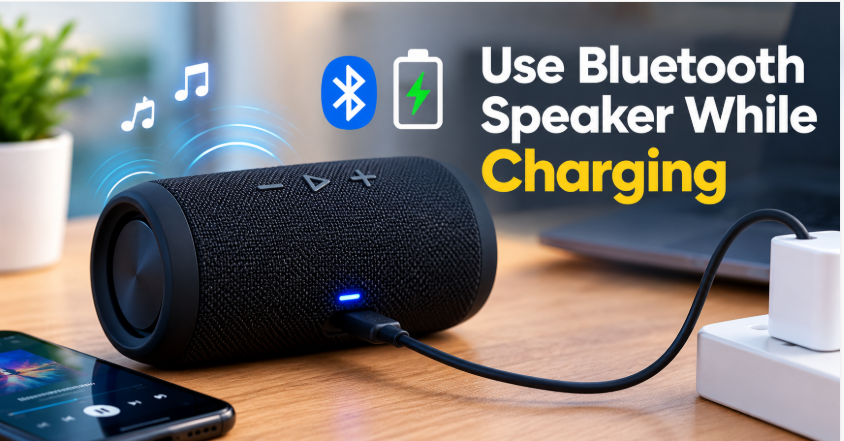
Quick answer: Can you use Bluetooth speaker while charging? Yes — for most modern speakers it’s completely safe. The speaker runs on charger power while the battery charges in the background. Three cautions: it charges slower while playing, it may get warm, and you should never do it with a wet charging port, a swollen battery, or a damaged cable. Use a proper charger and you’ll be fine.
Your speaker is at 5% right in the middle of a playlist, and the charger is right there. The question everyone asks at that moment: can you keep playing while it charges, or will that damage the battery — or worse, the speaker? The internet is full of scary warnings about this, but most of them are outdated. Here’s what actually happens inside your speaker when you play and charge at the same time.
Can You Use Bluetooth Speaker While Charging? Short Answer: Yes
Modern Bluetooth speakers are designed for exactly this. When you plug in, the speaker’s power circuit splits the job: part of the incoming power runs the speaker, and the rest charges the battery. Protection circuits prevent overcharging, overheating, and short circuits — this is standard in every speaker from a known brand (JBL, Bose, Sony, Soundcore, and similar). If your speaker is a recent model from a real brand, playing while charging is normal use, not abuse. The manual for most of these speakers doesn’t even warn against it.
Does It Damage the Battery?
This is the real worry, so let’s be precise. Lithium-ion batteries — the kind in every Bluetooth speaker — wear out mainly from two things: heat and time spent at 100% charge. Playing while charging adds a little of both: the speaker runs warmer, and the battery sits at high charge longer. In practice, occasional use while charging makes no measurable difference to battery life. What does shorten battery life is leaving the speaker plugged in 24 hours a day, every day, for months — the battery never rests, stays hot, and ages faster. Our battery life guide explains the full picture, including how long a healthy battery should last.
The honest rule: use it while charging when you need to, but unplug it when it’s full and you’re done listening. Don’t make “always plugged in” its permanent home.
Why It Charges Slower While Playing
If the battery seems to charge very slowly while music plays, nothing is wrong — it’s simple math. A typical charger delivers a fixed amount of power. Playing music consumes part of it, so less remains for charging. At high volume, a speaker can use nearly as much power as the charger supplies, which means the battery percentage barely moves — or, on a weak phone charger, can even drop slowly while plugged in. The fix is easy: if you want it to charge fast, pause the music for a while, or use a stronger wall charger (at least 5V/2A for most speakers) instead of a weak phone charger or a laptop USB port.
Does Sound Quality Change While Charging?
Usually, no — music sounds exactly the same on charger power. But some people notice a faint buzz or hum while charging, especially with cheap, unbranded chargers. That noise comes from the charger itself (poor electrical isolation), not from the speaker, and it disappears the moment you switch to a decent charger or a different wall outlet. If the buzz persists with a good charger, the charging port or cable may be at fault — and if the speaker won’t charge properly at all, that guide covers the diagnosis. For general sound tweaks, our sound quality guide covers EQ and placement fixes.
When You Should NOT Use It While Charging
There are four situations where playing while charging is genuinely a bad idea:
Wet charging port: if the speaker got wet, never charge it — let alone play while charging — until the port is completely dry. Charging a wet port can corrode it or short it.
Swollen battery: if the speaker’s case is bulging, cracked open, or the buttons feel pushed out, stop using it entirely. A swollen lithium battery is a safety risk, charged or not.
Overheating: if the speaker gets uncomfortably hot to touch while charging, unplug it and let it cool. Heat is the one thing that genuinely damages batteries — and if a speaker keeps turning off on its own, overheating is one of the causes to check.
Damaged cable or charger: frayed cables, loose ports, and no-name chargers that run hot are the real fire risk in this whole topic — not the act of playing while charging itself.
Best Way to Use a Bluetooth Speaker While Charging
Use the original charger, or a reputable wall charger (at least 5V/2A) — not a bargain-bin charger.
Keep the speaker ventilated while charging: on a table, not under a pillow, blanket, or inside a closed bag.
Keep the volume moderate — high volume plus charging is what generates the most heat.
Unplug when it’s full and you’re done; don’t leave it charging overnight every night.
Use a power bank the same way if you need to: the rules don’t change, and a power bank that supports pass-through charging works fine as the power source.
The Bottom Line on Can You Use Bluetooth Speaker While Charging
So, can you use Bluetooth speaker while charging? Yes — for any modern speaker from a known brand, it’s safe, normal, and won’t noticeably harm the battery as long as it’s occasional, not 24/7. It charges slower while playing, it may run a little warm, and a cheap charger can add a faint buzz — but none of that is damage. The real dangers are the exceptions: wet ports, swollen batteries, overheating, and damaged chargers. Avoid those four, use a decent charger, and keep the music playing. And if you’re shopping for a speaker that handles heavy daily use, our roundup of the best outdoor party speakers covers models built for exactly that.
FAQs: Can You Use Bluetooth Speaker While Charging
Is it safe to use a Bluetooth speaker while charging?
Yes, for most modern speakers from known brands. Protection circuits prevent overcharging and overheating, and the speaker is designed to run on charger power while the battery charges.
Does playing while charging damage the battery?
Occasional use makes no measurable difference. What shortens battery life is heat and staying plugged in 24/7 for months. Use it while charging when you need to, and unplug when it’s full.
Why is my speaker charging so slowly while playing?
Playing music consumes part of the charger’s power, leaving less for the battery. At high volume on a weak charger, the battery may barely charge at all. Pause the music or use a stronger wall charger (at least 5V/2A) to charge faster.
Can I use my speaker while charging with a power bank?
Yes — the same rules apply. A power bank works fine as the power source, especially one that supports pass-through charging. Use a decent cable and keep the speaker ventilated.
Why does my speaker buzz while charging?
Usually the charger, not the speaker: cheap unbranded chargers have poor electrical isolation, which leaks a faint hum into the audio. Switch to a reputable charger or a different outlet and it normally disappears.
Should I leave my speaker plugged in all the time?
No. Constant charging keeps the battery hot and at 100%, which ages it faster. Charge it, use it, unplug it — that’s the routine that keeps a battery healthy longest.