
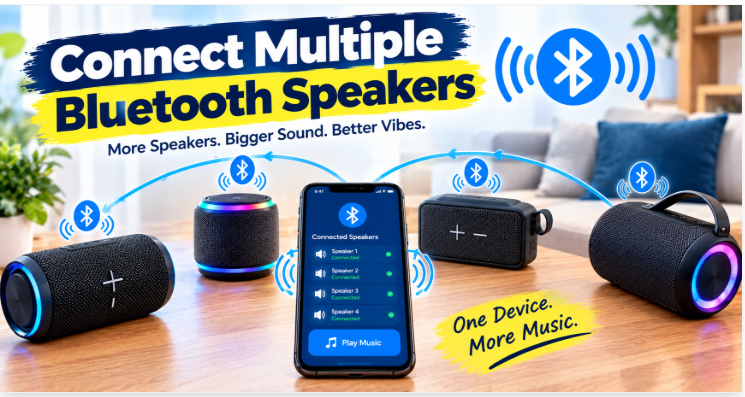
Listening to music through one connect multiple Bluetooth speaker is convenient, but connecting multiple speakers can make the experience even better. Whether you’re hosting a backyard party, relaxing with friends, or filling several rooms with music, multiple speakers can provide wider audio coverage and a more enjoyable listening experience.
Can You Connect Multiple Bluetooth Speakers at Once?
Yes, you can connect multiple Bluetooth speakers, but the method depends on your smartphone, computer, and speaker models.
Standard Bluetooth pairing doesn’t automatically mean that one phone can send synchronized audio to several speakers simultaneously.
Some speakers support dedicated multi-speaker features, while certain phones and computers offer compatible audio-sharing options.
Before getting started, check whether your speakers support a feature such as Party Boost, Aura cast, Wireless Party Chain, or another manufacturer-specific system. These technologies aren’t always compatible with one another.
Also Read Bluetooth Speaker Range Explained:
Method 1: Use the Speaker Manufacturer’s Pairing Feature
One of the easiest ways to connect multiple Bluetooth speakers is to use a built-in multi-speaker feature.
Many manufacturers design selected speaker models to connect and play audio together.
How It Works
The primary speaker communicates with compatible secondary speakers.
For example, selected JBL connect multiple Bluetooth speakers support technologies such as Party Boost, while some Sony models offer Party Connect or Wireless Party Chain.
The exact feature depends on the model.
Steps to Connect Speakers
- Charge and turn on all compatible speakers.
- Connect your phone to the primary speaker.
- Activate the manufacturer’s linking or party mode.
- Turn on the corresponding feature on the additional speakers.
- Play music and adjust the volume as needed.
Important: Check compatibility before buying additional speakers. Different generations or product families may use different linking technologies and may not work together.
Method 2: Connect Multiple Speakers Using a Samsung Phone
Some Samsung Galaxy phones include a feature called Dual Audio.
This feature allows supported devices to play audio through two connected Bluetooth audio devices at the same time.
Depending on the connect multiple Bluetooth speakers phone model and software version, the setup may look slightly different.
Steps to Use Dual Audio
- Pair both Bluetooth speakers with your Samsung phone.
- Open Settings and select Connections.
- Tap Bluetooth and connect both devices.
- Open the Media panel from Quick Settings, if available.
- Select both audio devices for playback.
If the option isn’t available, your particular device or software version may not support it.
Also, two speakers may not play in perfect synchronization, especially when they are from different manufacturers.
Method 3: Use an iPhone or iPod.
Apple devices support several ways to share audio, but their capabilities have specific limitations.
Apple’s Audio Sharing feature works with compatible AirPods and selected Beats headphones.
For multiple speakers, you can try these alternatives:
- Check whether your speakers support AirPlay for compatible Apple-device audio setups.
- Use a compatible external audio transmitter if it supports your speakers and intended setup.
AirPlay and Bluetooth are different technologies, so an AirPlay setup may require a Wi-Fi network rather than a direct Bluetooth connection.
Method 4: Use a Bluetooth Transmitter
A connect multiple Bluetooth speakers transmitter can send audio from a source device to multiple compatible Bluetooth receivers or speakers.
This can be useful when connecting speakers to a television, computer, or audio source that doesn’t support multi-device Bluetooth playback itself.
How to Set It Up
- Choose a transmitter that explicitly supports two or more simultaneous audio devices.
- Connect it to your source using a compatible audio output, such as AUX or optical audio.
- Put the transmitter into pairing mode.
Follow the transmitter’s instructions to pair the speakers.
- Test playback and check for audio delay.
Not every transmitter supports multiple connections, and some models introduce noticeable latency. Check compatibility and synchronization performance before purchasing.
Method 5: Connect Multiple Speakers to a Laptop
Connecting several connect multiple Bluetooth speakers to a Windows computer or Mac can be more complicated than connecting one.
Most computers can pair with multiple Bluetooth devices, but pairing multiple speakers doesn’t necessarily mean they will all play the same audio simultaneously.
Possible options include:
- A speaker manufacturer’s linking feature
- A compatible multi-device Bluetooth transmitter
- Audio-routeing software that supports your operating system and audio hardware
Some software solutions require additional configuration and may introduce delay. For video editing or gaming, synchronised wired audio may be a better choice.
Common Problems When Connecting Multiple Bluetooth Speakers
Even compatible devices can sometimes fail to connect properly.
Speakers Won’t Pair Together
If necessary, disconnect them from other phones and follow the manufacturer’s pairing instructions again.
Only One Speaker Plays Music
Your phone may be connected to only one active audio output.
Audio Is Out of Sync
Different speakers may process audio at different speeds. Use compatible speakers designed for synchronised playback, and keep firmware updated.
Connection Keeps Dropping
Low batteries, excessive distance, physical obstacles, and wireless interference can affect stability. Charge the connect multiple Bluetooth speakers and move them closer together during setup.
Tips for Better Multi-Speaker Sound
A connect multiple Bluetooth speakers few adjustments can improve your listening experience.
- Place speakers strategically: Position them to cover the area without creating uneven sound.
- Keep compatible speakers within range: Follow the manufacturer’s recommended distance between linked devices.
- Update firmware: Install available updates using the official companion app.
- Charge before use: Low battery levels may interrupt playback.
- Check volume levels: Start at a moderate volume and adjust each speaker as needed.
- Test before an event: Confirm that all speakers connect and play reliably before guests arrive.
For a large outdoor gathering, place speakers where sound can spread evenly. Avoid putting every speaker in one corner, as this may create uneven coverage.
Is It Better to Use Multiple Bluetooth Speakers or One Large Speaker?
The connect multiple Bluetooth speakers right choice depends on your needs.
Multiple linked speakers can distribute sound across a larger area, making them useful for parties, outdoor spaces, or multi-room listening.
A single large speaker, however, may be simpler to set up and can deliver stronger bass or more consistent sound than several small speakers.
. If you want broader coverage, a compatible multi-speaker system may be the better option.
Conclusion
Learning connect multiple Bluetooth speakers starts with understanding the features supported by your phone and speakers. Manufacturer-specific linking systems are often the simplest option, while compatible phone features and multi-device transmitters provide alternatives for certain setups.
Before purchasing additional equipment, check model compatibility, simultaneous playback support, and audio synchronisation. With the right setup, you can enjoy music across a wider area without repeatedly dealing with connection problems.
Frequently Asked Questions
Can I connect two Bluetooth speakers to one phone?
Yes, if your phone supports simultaneous audio playback or your connect multiple Bluetooth speakers use a compatible linking feature.
Can I connect multiple JBL speakers together?
Selected JBL models can link through features such as PartyBoost, but compatibility depends on the specific speaker models and supported technology.
Can an iPhone play music through two Bluetooth speakers?
Not universally. You generally need compatible speaker-linking technology or another supported audio setup.
Do all Bluetooth speakers work together?
No. Many speakers use different linking systems, and ordinary Bluetooth pairing doesn’t guarantee synchronised playback.
Does connecting multiple speakers reduce sound quality?
It can affect battery use, synchronisation, or connection stability, but compatible systems can deliver good audio across a wider area.
What is the easiest way to connect multiple Bluetooth speakers?
Using connect multiple Bluetooth speakers with the same built-in multi-speaker feature is usually the easiest approach because the system is designed to coordinate playback.
1 thought on “How to Connect Multiple Bluetooth Speakers: A Complete Guide”