
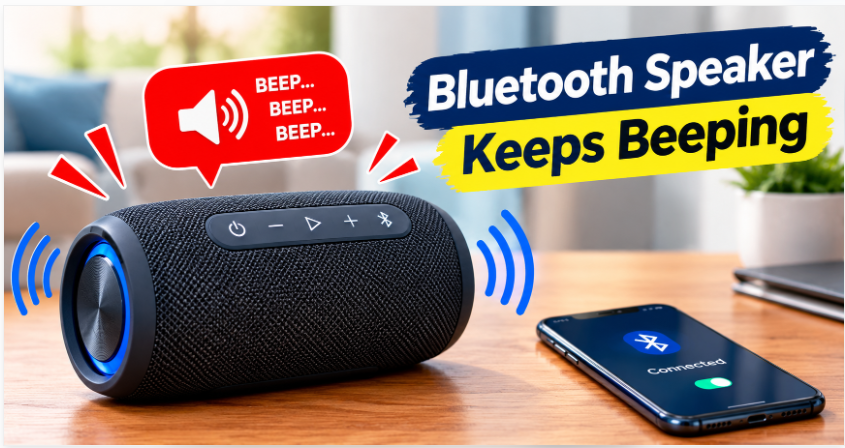
A Bluetooth speaker Keeps Beeping should make listening to music simple and enjoyable. But when it keeps beeping unexpectedly, the repeated sounds can quickly become annoying. You might hear a beep every few seconds while playing music, charging the speaker, connecting your phone, or even when the speaker is sitting idle.
If your Bluetooth speaker keeps beeping, the sound may be a warning about low battery, a pairing problem, an incoming call, or a change in the speaker’s operating mode. In some cases, the cause may be a stuck button, a software glitch, or a hardware issue.
Why Does a Bluetooth Speaker Keeps Beeping?
Bluetooth speaker keeps beeping use notification sounds to communicate their status. A beep may indicate that the speaker is turning on, entering pairing mode, losing its connection, or running low on battery.
However, the meaning of the sound varies by brand and model. A short beep on one speaker may indicate a successful connection, while repeated beeping on another may signal a problem.
Start by noticing when the sound occurs. Does it happen during charging, when music stops, or whenever your phone moves away? The timing can help you identify the cause.
Also Read Outdoor Party A Bluetooth Speaker
Low Battery Warning
One of the most common reasons a Bluetooth speaker keeps beeping is a low battery.
Many portable speakers produce warning tones when their battery reaches a low level. Some also beep repeatedly before shutting down.
How to Fix It
- Turn down the speaker’s volume.
- Connect it to a compatible charger.
- Check whether the charging indicator appears.
- Allow the battery to charge before using it again.
If the speaker continues beeping after a full charge, test another compatible charging cable or power adapter.
Bluetooth speaker keeps beeping Connection Problems
Your speaker may Bluetooth speaker keeps beeping when its connection to a phone, tablet, or laptop becomes unstable.
For example, you might leave your phone in another room while carrying the speaker outside. If the signal becomes weak, the speaker may disconnect and produce a notification sound.
How to Stop the Bluetooth speaker keeps beeping
- Move your phone closer to the speaker.
- Make sure Bluetooth is enabled.
- Disconnect unused Bluetooth devices.
- Remove the speaker from your phone’s saved devices and pair it again.
If the beeping stops after reconnecting, the problem was likely related to the Bluetooth connection
Speaker Keeps Entering Pairing Mode
Some Bluetooth speaker keeps beeping when they enter pairing mode or search for a device.
This can happen if the speaker cannot find its previously connected phone or if its pairing button is pressed accidentally.
Easy Fix
Turn on Bluetooth on your phone and open the list of available devices.If the speaker keeps returning to pairing mode, disconnect it from other nearby phones and tablets. Another device may be attempting to connect automatically.
Check the user manual if you are unsure how to activate or exit pairing mode.
Charging Problems
A Bluetooth speaker keeps beeping may beep when the charging connection repeatedly starts and stops.
This can occur because of a loose cable, damaged charging port, unsuitable adapter, or unstable power supply.
What You Should Do
- Disconnect the charging cable.
- Check the charging port for dust or debris.
- Try a compatible cable and power adapter.
- Confirm whether the charging indicator remains steady.
Avoid inserting metal objects into the charging port. If the port is loose or visibly damaged, professional repair may be necessary.
If the speaker becomes unusually hot, smells burnt, or shows signs of battery swelling, disconnect it from power if safe to do so and stop using it.
Incoming Calls or Device Notifications
Sometimes, the Bluetooth speaker keeps beeping does not come from the speaker itself. It may be relaying a notification from your connected phone.
Incoming calls, message alerts, voice assistant notifications, or other system sounds can interrupt music playback.
How to Fix It
Check your phone for notifications when the beep occurs. You can also temporarily disconnect the speaker and see whether the sound continues.
If the noise comes from the phone, review its notification settings or disable unnecessary alerts. Keep in mind that some speakers produce their own connection tones even when phone notifications are muted.
Stuck Buttons or Accidental Commands
A stuck power, volume, or Bluetooth speaker keeps beeping button can cause repeated beeping on some speaker models.
Dust, moisture, or physical damage may prevent a button from returning to its normal position.
Troubleshooting Steps
- Turn off the speaker.
- Inspect its buttons for dirt or damage.
- Restart the speaker and test it again.
Do not force a stuck button or allow liquid to enter the speaker. If the button remains unresponsive, the device may need servicing.
Software Glitches or Firmware Problems
Occasionally, a software issue can cause a Bluetooth speaker keeps beeping repeatedly, behave unpredictably, or disconnect without warning.
Try These Fixes
First, turn off the speaker and leave it off for about 30 seconds
If the problem continues, check the manufacturer’s official app or support website for firmware updates.
You can also perform a factory reset if other methods fail. Reset procedures vary by model, and a reset may erase saved pairing information.
The Bluetooth speaker keeps beeping Is Overheating
Some Bluetooth speaker keeps beeping use warning tones to alert users to temperature or operating problems.
Heat can build up when a speaker is left in direct sunlight, used at high volume for long periods, or charged in a hot environment.
If you suspect overheating, turn off the speaker and allow it to cool in a dry, shaded, well-ventilated location.
Do not put the speaker in a refrigerator or freezer. If the speaker repeatedly overheats during normal use, contact the manufacturer or a qualified repair service.
How to Identify the Cause of Repeated Beeping
Use the Bluetooth speaker keeps beeping timing and behavior of the sound as a starting point:
- Beeping when the battery is low: Charge the speaker and check battery health.
- Beeping when moving away from your phone: Test the Bluetooth range.
- Beeping when music stops: Check pairing status and phone notifications.
- Beeping immediately after startup: Consult the manual for model-specific warning tones.
- Beeping after a drop or water exposure: Stop using the speaker if damage is suspected and arrange an inspection.
These clues can narrow down the problem, although the exact meaning of each beep depends on the speaker model.
How to Prevent Your Bluetooth Speaker keeps Beeping From Again
A few simple habits can help reduce unnecessary warning sounds.
- Keep the battery charged.
- Use compatible charging accessories.
- Keep the speaker’s buttons and ports clean.
- Avoid exposing it to extreme temperatures or moisture beyond its rated protection.
- Keep your phone within a reliable Bluetooth range.
- Install official firmware updates when available.
- Store the speaker according to the manufacturer’s instructions.
Regular care can help prevent many common connection and charging issues.
Conclusion
If your Bluetooth speaker keeps beeping, the cause may be as simple as a low battery or an unstable Bluetooth connection. Charging the speaker, reconnecting your phone, checking the charging cable, and restarting the device are good first steps.
If the beeping continues, investigate pairing problems, stuck buttons, software glitches, or possible hardware damage. Because warning sounds differ between manufacturers, checking your speaker’s manual can help you identify the exact meaning of the beep.
With a little troubleshooting, you can often stop the unwanted noise and get back to enjoying your music.
Faqs
Why does my Bluetooth speaker keep beeping while playing music?
It may be warning you about a low battery, an unstable Bluetooth speaker keeps beeping connection, or a phone notification. Check the battery level and connection first.
Why does my Bluetooth speaker beep when charging?
A loose cable, unstable power source, charging-port problem, or battery warning may be responsible. Try a compatible cable and adapter.
How do I stop my Bluetooth speaker from beeping?
Charge the Bluetooth speaker keeps beeping, reconnect Bluetooth, restart the device, and check its manual for the meaning of the warning tone.
Can a low battery cause repeated beeping?
Yes. Many portable speakers use repeated beeps to warn that battery power is running low.
Why does my speaker beep when my phone disconnects?
Some Bluetooth speaker keeps beeping produce a notification tone when a connected device moves out of range or Bluetooth is switched off.
Should I reset my Bluetooth speaker if it keeps beeping?
A factory reset may help if the problem is software-related. Follow the manufacturer’s instructions because the procedure varies by model.