
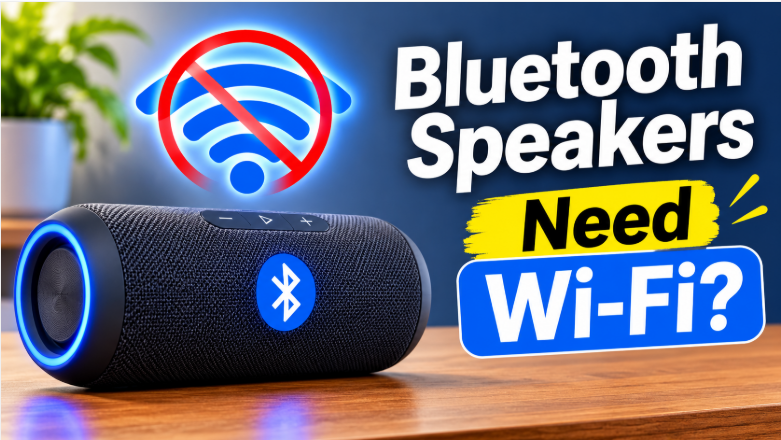
Quick answer: Do Bluetooth speakers need Wi-Fi? No — a Bluetooth speaker plays music straight from your phone over a short wireless link, with no internet, no router, and no Wi-Fi password involved. Wi-Fi only enters the picture for extras: voice assistants, speaker firmware updates, and multi-room systems like AirPlay or Chromecast. So for everyday listening, Bluetooth alone is enough — but for a whole-home setup, a Wi-Fi speaker is the better buy.
It’s one of the most common points of confusion in wireless audio: if a speaker is “wireless,” doesn’t it need Wi-Fi? The short answer is no — but the full answer is more useful, because some speakers genuinely do need Wi-Fi, and buying the wrong kind is an easy mistake. Here’s how to tell which kind you have, what each one can and can’t do, and which one fits your home.
Do Bluetooth Speakers Need Wi-Fi?
No. A Bluetooth speaker connects directly to your phone, laptop, or tablet over Bluetooth — a short-range radio link between two devices. No router sits in the middle, no internet is involved, and the connection works in a park, on a beach, or in a power cut, as long as both devices have battery. That’s exactly why Bluetooth speakers are the go-to choice for outdoor and portable listening: they work anywhere your phone works. Our pairing guide shows how that direct connection is set up, and it never asks for a Wi-Fi password at any step.
What works without Wi-Fi: playing music and podcasts from your phone, taking calls through the speaker, and pairing two speakers together with the speakers’ own system. What doesn’t work without Wi-Fi: anything that lives on the internet rather than on your phone — which brings us to the exceptions.
When Do Bluetooth Speakers Need Wi-Fi?
Voice assistants. If your speaker answers “Hey Google” or “Alexa,” those answers come from the internet, so the speaker needs Wi-Fi to work as a smart speaker. Without Wi-Fi, it can usually still play music over Bluetooth — it just can’t answer questions or control smart home devices. Our Alexa guide covers how that pairing works.
Updates and setup apps. Many speakers update their firmware through the maker’s phone app, and some apps need internet for the download — even though the music itself doesn’t. If your speaker’s app asks for Wi-Fi during setup, that’s usually what it’s for, not for playback.
Multi-room audio. Systems like Apple AirPlay 2 and Google Chromecast send music over your home Wi-Fi network to several speakers at once, in sync. Bluetooth can’t do that on its own — it talks to one device at a time. So a whole-home, multi-room setup is the one place where Wi-Fi isn’t optional.
Built-in streaming. A few speakers (mostly Wi-Fi speakers, not Bluetooth ones) can play Spotify or internet radio by themselves, without your phone. Those need Wi-Fi by definition — but if your speaker has no such feature, it needs nothing of the sort.
Bluetooth vs Wi-Fi Speakers Compared
| Feature | Bluetooth speaker | Wi-Fi speaker |
| Internet needed for music? | No — direct phone link | Often yes (streams itself) |
| Works outdoors / away from home? | Yes | No — needs your home network |
| Multi-room sync | No (one device at a time) | Yes (AirPlay, Chromecast) |
| Voice assistant | No (unless it’s also a smart speaker) | Yes, with internet |
| Typical range | Around 10 metres | Anywhere your Wi-Fi reaches |
| Sound quality | Depends on codec + speaker | Often higher (less compression) |
One honest note on sound quality: Wi-Fi speakers often sound a little better, not because Wi-Fi is magic, but because they aren’t squeezed through Bluetooth’s narrower pipe. That said, the speaker itself still matters more. Our codecs guide explains why a good Bluetooth speaker can beat a mediocre Wi-Fi one. And our sound quality guide covers the placement and EQ tweaks that matter on either kind.
Which Should You Choose: Bluetooth or Wi-Fi Speaker?
- Buy a Bluetooth speaker if: you listen outdoors, at the beach, at picnics, or in different rooms; you mainly play music from your phone; or you want something portable and simple. This is most people, most of the time.
- Buy a Wi-Fi (smart) speaker if: you want music in several rooms in sync, you use voice commands daily, or the speaker will live in one spot at home and never travel. For a fixed home setup, Wi-Fi is genuinely better.
- Best of both: many smart speakers do both — Bluetooth when you’re out and about, Wi-Fi at home. If you can’t decide, a speaker with both connections removes the dilemma entirely.
Common Wi-Fi Confusion About Bluetooth Speakers
“My speaker asked for Wi-Fi during setup — does that mean it needs it?” Not necessarily. Setup apps often want internet for account creation or a firmware update, then never need it again for playback. If the speaker plays fine after setup with Wi-Fi off, you have your answer.
“My Bluetooth speaker stops when I leave the house — is that a Wi-Fi problem?” No — that’s Bluetooth range. Bluetooth reaches around 10 metres; walk further from your phone and the link drops, Wi-Fi or no Wi-Fi. Walls and distance are the cause, not your router.
“Do I need Wi-Fi to pair a Bluetooth speaker?” No. Pairing is a direct Bluetooth handshake between phone and speaker. If pairing fails, the cause is almost always pairing mode, distance, or a previous connection — not your Wi-Fi.
The Bottom Line on Bluetooth Speakers and Wi-Fi
Bluetooth speakers do not need Wi-Fi — they play music over a direct link from your phone, anywhere, with no internet at all. Wi-Fi only matters for smart features, updates, and multi-room audio, which is exactly what Wi-Fi speakers are built for. So pick by how you listen: portable and simple means Bluetooth, whole-home and voice-controlled means Wi-Fi, and a speaker with both means never having to choose. For days when you’re choosing a speaker rather than connecting one, our roundup of the best outdoor party speakers is the place to start.
FAQs: Do Bluetooth Speakers Need Wi-Fi?
Do Bluetooth speakers need Wi-Fi to play music?
No. Music travels directly from your phone to the speaker over Bluetooth, with no internet or router involved. Wi-Fi is only needed for smart features, updates, or multi-room systems.
Can I use a Bluetooth speaker without internet?
Yes, as long as the music itself is on your phone or downloaded for offline listening. Streaming apps need internet to fetch songs, but the speaker-to-phone Bluetooth link does not.
Why does my smart speaker need Wi-Fi?
Because its voice assistant, internet radio, and multi-room features live on the internet, not on your phone. Without Wi-Fi, most smart speakers can still play music over Bluetooth, but the smart features stop working.
Is a Wi-Fi speaker better than a Bluetooth speaker?
For multi-room audio and voice control at home, yes. For portable, outdoor, or phone-based listening, no — Bluetooth is simpler and works anywhere. Many speakers offer both, which covers both uses.
Does Wi-Fi improve Bluetooth sound quality?
No — Wi-Fi doesn’t change how a Bluetooth connection sounds. Sound quality depends on the speaker, the codec, and the source file. Wi-Fi speakers can sound better because they use a different, less compressed connection, not because Wi-Fi boosts Bluetooth.
Do I need Wi-Fi to pair a Bluetooth speaker?
No. Pairing is a direct Bluetooth handshake between your phone and the speaker, and it works with no Wi-Fi at all.
1 thought on “Do Bluetooth Speakers Need Wi-Fi? (And When Wi-Fi Speakers Are Better)”