
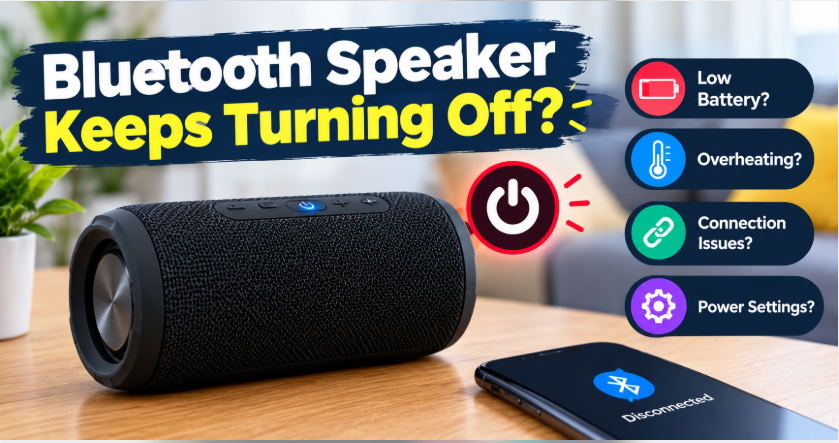
Quick answer: A Bluetooth speaker keeps turning off mostly because of a low battery, an auto power-off feature that kicks in after a few idle minutes, a weak Bluetooth signal, or overheating. First, charge it fully and turn off auto power-off in the speaker’s app if it has one. If it still shuts down mid-song, the battery or the charging port is usually the culprit.
Nothing kills a mood faster. The music is playing, everyone is enjoying it — and suddenly, silence. Your Bluetooth speaker just switched itself off, again. Before you assume the speaker is dead and start shopping for a new one, know this: most of the time the fix is free and takes under a minute. Speakers shut themselves off for a handful of predictable reasons, and each one has a simple answer.
Here are the 8 real reasons a Bluetooth speaker keeps turning off, with the fix for each one.
1. Low Battery: The Top Reason a Bluetooth Speaker Keeps Turning Off
This is the number one cause, and it fools people constantly. A speaker on 20% can still play — until a bass-heavy part of a song draws a surge of power and the voltage drops below the cutoff. The speaker dies mid-beat, not gradually. Battery percentage lights are also rough estimates, not exact fuel gauges, so “two lights” does not mean “plenty left.”
Fix: charge the speaker fully until the charging light turns solid or goes out (whichever your model uses), then test it at normal volume. If it plays for hours after a full charge, low battery was your problem. If it dies again within minutes of a full charge, skip to reason 7 — the battery itself may be worn out. Our guide to Bluetooth speaker battery life explains realistic playtimes by speaker size.
2. Auto Power-Off: Why Your Bluetooth Speaker Keeps Turning Off
Almost every modern speaker has an auto power-off feature: if it receives no audio for 10, 20 or 30 minutes, it switches itself off to save battery. It feels like a fault when you pause a playlist, walk away, and come back to a dead speaker — but the speaker did exactly what it was designed to do.
Fix: check your speaker’s app (JBL Portable, Bose Music, Sony Music Center and similar apps all have a power-saving setting) and turn auto power-off off, or set it to the longest time. No app? Keep a quiet audio source playing — even a paused video with the volume down counts as silence to the speaker, so a soft background track keeps it awake during a party.
There is one sneaky version of this problem: if you listen at very low volume, some speakers cannot detect the audio signal at all and decide nothing is playing — so they shut down even mid-song. The trick is simple: turn the volume on your phone or laptop up to near maximum, then control the actual listening volume with the speaker’s own buttons. The speaker now receives a strong signal it can detect, and the auto-off timer never trips.
3. The Bluetooth Signal Keeps Dropping
When the Bluetooth connection drops, many speakers treat the silence as “nothing to play” and power down shortly after. The usual suspects: your phone is in another room, the signal is fighting through walls, or a crowded 2.4 GHz Wi-Fi network is interfering. Metal desks and fridges between phone and speaker make it worse.
Fix: keep the connected phone within 20–30 feet with as clear a path as possible, and keep the phone’s Wi-Fi on the 5 GHz band if your router offers it. If the speaker also disconnects while playing (not just when idle), our fixes for a Bluetooth speaker that keeps disconnecting go deeper. Where you put the speaker matters here too — our speaker placement guide covers spots that keep both sound and signal strong.
One more signal trap: multipoint. Many speakers can stay connected to two devices at once — your phone and your laptop, for example. If the second device grabs the stream for a notification or a call and then goes quiet, the speaker hears silence and may power down. The fix is to disconnect the device you are not using: turn its Bluetooth off, or remove the speaker from its paired list, so only one device feeds the speaker.
4. The Speaker Is Overheating
Speakers shut down to protect themselves when they get too hot. Direct sun on a balcony, a speaker sitting on a car dashboard, or a long session at maximum volume in a warm room can all trip the thermal protection. The shutdown is sudden and the speaker often refuses to switch back on until it cools.
Fix: move it into the shade, let it cool for 15–20 minutes, and avoid max volume for hours on end in direct heat. If it only ever shuts down outdoors in the sun, heat is almost certainly the cause — not a defect.
5. The Charger or Cable Is Faulty
A speaker that “charges all night” but dies in twenty minutes is often not charging at all. Cheap or worn cables, weak phone chargers, and dusty USB ports deliver a trickle instead of a full charge. The battery light may even glow, which makes the problem harder to spot.
Fix: try a different cable and a proper wall charger (at least 5V/2A for most speakers), and clean the charging port gently with a dry toothpick or compressed air. If the speaker won’t charge at all, that guide covers the full diagnosis. Watch for a loose port too — if the cable wiggles and the charging light flickers, the port itself is the problem and needs repair.
6. A Firmware Glitch Needs a Reset
Like phones, speakers run software, and that software occasionally gets stuck: a failed update, a bad pairing memory, or a random glitch can cause random shutdowns that make no sense. This is the fix people try last, but it should be tried early because it costs nothing.
Fix: reset the speaker to factory settings. The button combination varies by brand (commonly holding power + Bluetooth, or power + volume-down, for 10 seconds), so check your model’s manual for the exact combo. After the reset, pair it fresh with your phone. A reset also clears old pairing data that sometimes causes the signal drops in reason 3.
Brand-Specific Reset Combinations
Reset buttons differ by brand, so here are the combinations most commonly documented for the big names. Button layouts vary by model, so check your model’s manual if yours does not match.
JBL: hold Volume Up (+) and Play/Pause together for about 10 seconds until the speaker switches off, then switch it back on and pair fresh.
Bose: in the Bose Music app, go to Settings and set the Auto-Off Timer to Never. For a deep-sleep unit that will not wake, connect it to power and hold the multi-function button for 10 seconds.
Sony: look for a small Auto Standby button on the speaker (sometimes behind the waterproof flap) and press it to toggle the feature off, or use the Sony Music Center app under Settings, Power Option, Auto Standby.
Anker Soundcore: drain the speaker fully, then charge it uninterrupted to 100% to reset the battery logic. For a hard reset, hold the Bluetooth button and Volume Up together for 5 seconds while the speaker is on.
7. The Battery Is Old and Worn Out
Lithium batteries wear out with age and charge cycles. A two- or three-year-old speaker that used to play for 12 hours and now dies after 45 minutes is not broken — its battery has simply aged. The classic sign: it charges “fully” suspiciously fast and dies just as fast.
Fix: if the battery is replaceable, a replacement battery (matched to your exact model) is far cheaper than a new speaker. If it is sealed in and the speaker is a budget model, replacement usually beats repair. Either way, this is the honest end of the road for that battery — no setting will bring its capacity back.
8. The Connected Device Is Sleeping
Sometimes the speaker is innocent. When a laptop goes to sleep, a phone’s battery saver kicks in, or a tablet locks its screen, the audio stream stops — and after a few silent minutes, the speaker’s auto power-off finishes the job. You blame the speaker; the phone or laptop pulled the plug.
Fix: turn off battery saver during playback, keep the screen awake, or disable your device’s sleep timer for the session. If your Bluetooth speaker keeps turning off only when the laptop sleeps, this is your culprit. This one is especially common with laptops — our guide on connecting a Bluetooth speaker to a laptop covers the sleep and output settings that cause it.
How to Stop It Happening Again
Once you have found why your Bluetooth speaker keeps turning off, a few habits keep the problem away. Charge with a good cable and wall charger. Don’t leave the speaker baking in the sun. Keep the phone reasonably close. And switch auto power-off off in the app if you use the speaker for long background sessions. A speaker that dies at low volume or with crackling sound has a different problem — our guide to a Bluetooth speaker that sounds too quiet covers those symptoms.
The Bottom Line: Bluetooth Speaker Keeps Turning Off
Still wondering why your Bluetooth speaker keeps turning off? Start with the easy checks: full charge, auto power-off setting, phone distance. Those three solve the problem for most people. If the speaker still dies after a full charge and a reset, the battery has likely aged out — and then the honest fix is a battery replacement, not another settings hunt. Don’t buy a new speaker until you have ruled out the free fixes first.
FAQs: Bluetooth Speaker Keeps Turning Off
Why does my Bluetooth speaker turn off by itself?
Usually low battery, auto power-off after a few idle minutes, a dropped Bluetooth signal, or overheating. Charge it fully, check the auto power-off setting in the speaker’s app, and keep the phone within range — those three checks solve most cases.
Why does my speaker turn off after a few minutes?
That pattern points to auto power-off (the speaker sleeps when it gets no audio) or a dying battery that drops voltage under load. Turn auto power-off off in the app first; if it still dies at full charge, the battery is worn out.
Can a bad charger make my speaker turn off?
Yes. A weak or damaged cable can make the speaker look charged when it is barely charged at all. Try a different cable and a proper wall charger, and clean the charging port — a flickering charging light usually means a loose port or a bad cable.
Why does my speaker turn off when I pause the music?
Because pausing counts as silence, and auto power-off switches the speaker off after 10–30 idle minutes. Turn the feature off in the speaker’s app, or keep a quiet track playing in the background during long pauses.
Will resetting my speaker stop it turning off?
Often, yes — if the cause is a firmware glitch or corrupted pairing data. A factory reset clears both. Hold the model’s reset combination (commonly power + Bluetooth for 10 seconds), then pair it fresh.
Is it worth replacing the battery in an old speaker?
If the battery is replaceable and matched to your model, yes — it is far cheaper than a new speaker. If the battery is sealed in and the speaker is a budget model, buying a new speaker usually makes more sense.