
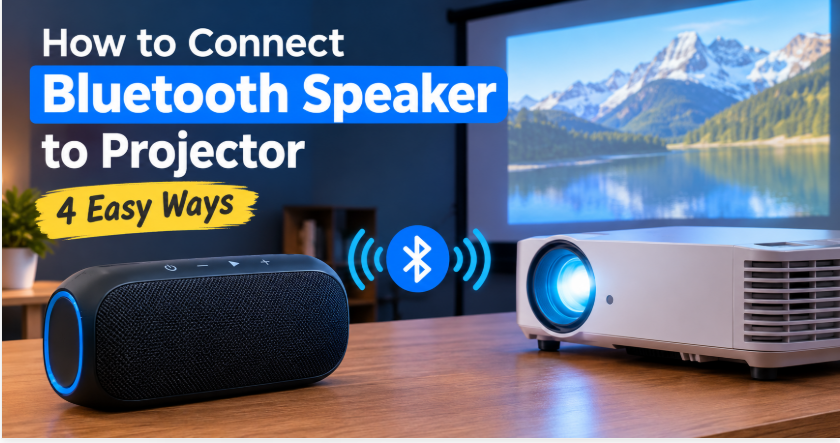
Quick answer: How to connect Bluetooth speaker to projector? The easiest way: if your projector has Bluetooth audio output, put your speaker in pairing mode and connect through the projector’s Settings > Bluetooth menu. If it has no Bluetooth, run a 3.5mm AUX cable from the projector’s audio-out jack to the speaker (zero delay), use an HDMI audio extractor for HDMI-only projectors, or plug a Fire TV/Chromecast stick into the projector and pair the speaker to the stick instead.
Backyard movie night. The screen is glowing, the popcorn is ready, the opening scene starts — and the sound is coming from a tiny projector speaker that makes everything sound like a phone trapped in a tin can. Everyone leans in. Someone says “what did he just say?” for the third time. A Bluetooth speaker fixes all of this in about five minutes — real volume, clear dialogue, actual cinema feeling. The only question is which connection method your projector supports, because projectors are quirkier than TVs about this.
Here are the four methods that actually work, from easiest to most universal. Try them in order and stop at the first one your projector supports.
How to Connect Bluetooth Speaker to Projector: 4 Methods That Work
1. Direct Bluetooth pairing (projectors with Bluetooth audio out — easiest)
Many modern portable projectors — Anker Nebula, XGIMI, BenQ smart models and similar — have Bluetooth audio output built in. This is the method to try first:
- Put your Bluetooth speaker in pairing mode (usually hold the Bluetooth or power button until it blinks).
- On your projector, open Settings > Bluetooth (sometimes under Sound or Audio settings).
- Look for an option like Bluetooth audio out or Bluetooth speaker — not Bluetooth input.
- Select your speaker’s name from the list. Done — projector audio now plays through the speaker.
One honest warning that trips people up: some projectors have Bluetooth input (so the projector itself works as a big Bluetooth speaker for your phone) but no Bluetooth output. If your projector’s Bluetooth menu only shows “pair your phone,” it cannot send audio to a speaker — skip to method 2 or 3.
Second honest warning: basic Bluetooth (SBC codec) adds roughly a fifth of a second of delay. For casual watching you may never notice; for dialogue-heavy movies, read the lip-sync section below before settling on this.
2. AUX cable — projector audio-out jack to speaker (zero delay)
The boring method that beats all the wireless ones for movies. Almost every projector ever made — even ancient lamp models — has a 3.5mm audio-out (headphone) jack. Run a simple AUX cable from the projector to your speaker’s AUX-in port. Sound is instant — literally zero wireless delay — and it works with every projector and every speaker ever made.
The trade-offs: a wire running from the projector to wherever the speaker sits, and you will control volume from the speaker itself (the projector remote usually stops affecting it). For a backyard cinema where the projector sits behind the audience and the speaker sits up front near the screen, this is genuinely the best option — one cable, perfect sync, no dropouts when someone walks between the devices.
3. HDMI audio extractor — for projectors with no Bluetooth and no audio jack
Some projectors — especially budget or office models — have HDMI inputs and nothing else: no Bluetooth, no headphone jack. An HDMI audio extractor (a small box, usually under $30) solves this. It sits between your video source and the projector:
- Plug your source (Fire TV stick, laptop, Chromecast) into the extractor’s HDMI in.
- Run an HDMI cable from the extractor’s HDMI out to the projector.
- Connect the extractor’s 3.5mm or optical audio out to your speaker (cable) or to a Bluetooth transmitter paired with your speaker (wireless).
Yes, it is one more gadget in the chain, and yes, it needs its own power cable. But it rescues projectors that otherwise have no way to get sound out at all — and once it is set up, you never touch it again.
4. Pair through your streaming stick (Fire TV, Chromecast)
Using a Fire TV Stick or Chromecast plugged into the projector? You can bypass the projector’s audio entirely and pair the speaker to the stick:
- Fire TV: Settings > Controllers & Bluetooth Devices > Other Bluetooth Devices — pair your speaker here.
- Chromecast with Google TV: Settings > Remotes & Accessories > Pair remote or accessory.
This is often the cleanest wireless setup for backyard cinemas, because the stick is right there at the projector and the pairing menu is friendlier than most projector menus. Bonus: volume control through the Fire TV remote usually keeps working, which it often does not with direct projector Bluetooth.
Projector Bluetooth Delay: Fixing the Lip-Sync Problem
Here is the thing nobody puts on the box: Bluetooth audio arrives late. Standard Bluetooth (SBC) typically delays sound by around 200 milliseconds — enough that lips move before words arrive. Outdoors it somehow feels worse, because there is no room echo masking it. Three fixes, in order of effectiveness:
- Use the AUX cable (method 2). Zero delay, problem gone permanently.
- Check for an AV sync / lip-sync setting. Some projectors and most streaming sticks let you shift audio timing — nudge it until lips match.
- aptX Low Latency on both ends. If your Bluetooth transmitter and speaker both support it, wireless delay shrinks to the point most people stop noticing. If only one end has it, do not pay extra — you get standard delay either way.
For cartoons, sports, or casual YouTube under the stars, do not overthink it — direct Bluetooth is fine. For movies where dialogue matters, the cable wins every time.
No Bluetooth or Audio Jack? Picking the Right Method for Your Projector
Quick decision guide:
- Projector has Bluetooth audio out? → Direct pairing (method 1). Two minutes, no cables.
- Projector has a headphone/audio-out jack? → AUX cable (method 2). Cheapest, zero lag, works with everything.
- Only HDMI, no audio jack, no Bluetooth? → HDMI audio extractor (method 3).
- Using a Fire TV or Chromecast with the projector? → Pair the speaker to the stick (method 4) — often easier than fighting the projector’s own menus.
Do You Need a Special Bluetooth Speaker for Projector Use?
No — and do not let anyone upsell you one. Any Bluetooth speaker that pairs with your phone will pair with your projector. That said, two features genuinely matter for movie nights. First, size: dialogue lives in the midrange, and tiny pocket speakers make voices sound thin and tiring over a two-hour movie — outdoors, with no walls to bounce sound around, this matters even more. A medium speaker (20W and up) is the sweet spot for a backyard. Second, battery life: a backyard movie is two-plus hours, so check that your speaker actually lasts that long at high volume — manufacturer claims are usually measured at half volume. For casual indoor use, though? The speaker you already own is perfectly fine.
5 Projector-to-Speaker Mistakes to Avoid
- Assuming your projector has Bluetooth. Many do not — especially older lamp models. Check the specs or settings menu before buying anything.
- Mixing up Bluetooth input and output. If the projector’s Bluetooth only pairs with your phone (input), it cannot send sound to a speaker (output). They are different features.
- Pairing the speaker to your phone by accident. If the speaker keeps connecting to your phone instead of the projector, turn the phone’s Bluetooth off during setup.
- Expecting the projector remote to control speaker volume. Over Bluetooth or AUX, volume usually moves to the speaker. That is normal — keep the speaker within reach.
- Using two speakers without a plan. Want stereo sound from two speakers with your projector? That is a separate challenge — see our guide on connecting two different Bluetooth speakers together. And if you are still choosing the projector setup itself, our Bluetooth speaker to TV guide covers the same ideas indoors.
The Bottom Line on Connecting a Bluetooth Speaker to Your Projector
So, how do you connect a Bluetooth speaker to your projector? If it has Bluetooth audio out, pair directly — two minutes. If not, the humble AUX cable never fails and has zero delay. HDMI-only projector? A small extractor box solves it. And once the backyard cinema sounds right, you might start thinking bigger — our best outdoor party speakers roundup is the place to look next.
FAQs: Connecting a Bluetooth Speaker to Projector
Can any Bluetooth speaker connect to a projector?
Yes — any Bluetooth speaker can pair with a projector that has Bluetooth audio output. For projectors without Bluetooth, any speaker with an AUX-in port works via cable, which covers practically every speaker sold.
Why is there a delay between my projector and Bluetooth speaker?
Standard Bluetooth audio (SBC codec) adds roughly 200ms of delay. Fix it with an AUX cable (zero delay), an AV sync setting on the projector or streaming stick, or aptX Low Latency supported on both the transmitter and speaker.
Do all projectors have Bluetooth?
No. Mostly portable and smart projectors (Nebula, XGIMI, BenQ smart models) have Bluetooth audio output. Older lamp projectors and many budget office models do not — check for a Bluetooth menu or a 3.5mm audio-out jack before assuming.
Can I connect two Bluetooth speakers to one projector?
Most projectors only output to one Bluetooth device at a time. Workarounds: an AUX splitter cable, a dual-output Bluetooth transmitter, or see our guide on connecting two different Bluetooth speakers together.
Is AUX better than Bluetooth for a projector?
For movies, yes — AUX has zero delay and never drops when someone walks between the projector and speaker. For convenience and tidiness, Bluetooth wins. Many people use Bluetooth casually and switch to AUX for movie nights.
Why won’t my projector find my Bluetooth speaker?
Three usual causes: the speaker is not in pairing mode (hold the Bluetooth button until it blinks), it is still connected to your phone (turn phone Bluetooth off), or your projector’s Bluetooth is input-only — it pairs with phones but cannot send audio out. Check the manual.
1 thought on “How to Connect Bluetooth Speaker to Projector: 4 Easy Ways”