
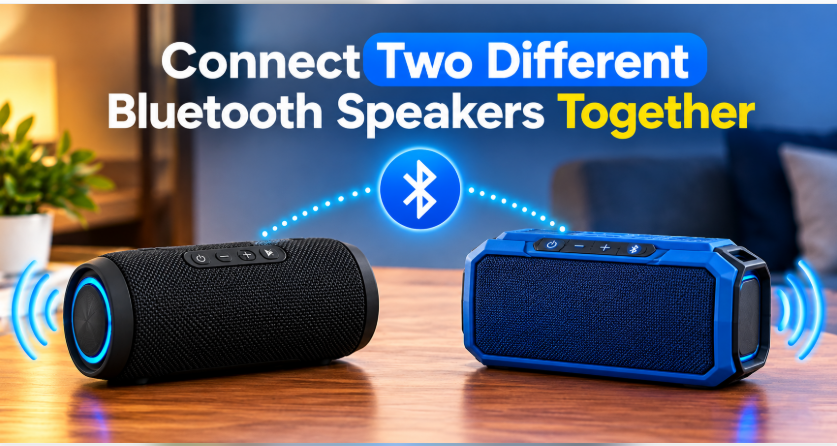
Together TogetherQuick answer: Can you connect two different Bluetooth speakers together? Yes — but not with TWS or PartyBoost, which only work between same-brand speakers. Your four real options are Samsung Dual Audio (plays to any two Bluetooth devices at once), your phone’s built-in dual-audio feature, a syncing app like AmpMe, or a simple AUX splitter cable for zero delay. The wired splitter is the only method with no lag; wireless methods can have a slight echo between brands.
You own a JBL and your friend brought a Sony. One speaker is not loud enough for the backyard, and you are wondering: can you just link them together? It feels like it should be simple. The honest answer is: yes, it can be done — but not the way the box makes it sound.
Those one-tap features with catchy names — TWS, PartyBoost, Party Connect — only work when both speakers come from the same brand and often the same model family. A JBL will happily pair with another JBL, but it will completely ignore a Sony. That is not a bug; it is how those proprietary systems are built. If both your speakers are the same brand, stop here and read our same-brand pairing guide instead — it is much easier. For everyone mixing brands, here are the four methods that actually work. And if you are building a bigger outdoor setup, our best outdoor party speakers roundup will help you pick the right pair.
Can You Connect Two Different Bluetooth Speakers Together? 4 Methods That Work
1. Samsung Dual Audio (easiest wireless way)
If you have a Samsung Galaxy phone (S8 or newer), you already own the best tool for this job. Dual Audio lets your phone stream music to two Bluetooth devices at the same time — any brands, any models. A JBL and a Sony, a Bose and a no-name speaker: it does not care.
How to turn it on: connect the first speaker normally, then connect the second speaker the same way. Open Settings > Connections > Bluetooth > Advanced (or the three-dot menu) and switch on Dual Audio. Both speakers now play the same music. The catch: volume is controlled per device, and there can be a tiny delay between the two — usually unnoticeable for background music, occasionally annoying for movies.
2. Your phone’s built-in dual Bluetooth audio (non-Samsung Android)
Samsung branded it, but the underlying capability — Bluetooth 5.0 dual audio — exists on many Android phones with Bluetooth 5.0 or later. On some phones (certain Xiaomi, OnePlus, and Motorola models) you will find a similar “dual audio” toggle in Bluetooth settings. It is less consistent than Samsung’s version and sometimes hidden in developer options, so check your phone’s manual. Same deal as above: works across brands, minor delay possible.
3. A syncing app like AmpMe (works on any phone, including iPhone)
This is the only real wireless option for iPhone users, because iPhones cannot natively stream to two Bluetooth speakers at once. Apps like AmpMe let multiple phones each connect to their own speaker and play the same song in sync — you host a “party,” friends join with the app, and everyone’s speaker plays together.
The honest caveats: sync is done over the internet, so it is never sample-perfect — expect a small delay, and it needs everyone on the same Wi-Fi or mobile data. It is brilliant for a casual house party and terrible for anything where timing matters. Also check what the app currently charges; the free tier has limits.
4. An AUX splitter cable (zero delay, always works)
The unglamorous champion. A 3.5mm Y-splitter cable (a few dollars anywhere) plugs into your phone’s headphone jack — or a USB-C/Lightning to 3.5mm adapter — and gives you two AUX outputs. Run one cable to each speaker’s AUX-in port. Both play instantly, in perfect sync, with zero wireless delay and zero pairing headaches.
Yes, it means wires. But for a backyard movie night or any situation where lip-sync matters, this ten-dollar cable beats every wireless trick on this list. If your speakers have AUX ports (most do), this is the method I would actually recommend first.
Why TWS Cannot Connect Two Different Bluetooth Speakers Together
Worth saying plainly, because this is where most people get stuck: TWS (True Wireless Stereo), JBL PartyBoost, Sony Party Connect, and similar features are proprietary — each brand built its own private language for linking speakers, and they deliberately do not speak to each other. Pressing the TWS button on a JBL while a Sony sits nearby does nothing, and no settings change will fix that. It is like trying to use an iPhone charger on an old Android: same idea, different plug. Cross-brand linking has to happen at the phone level (methods 1–3) or through wire (method 4), never speaker-to-speaker.
The Latency Problem Nobody Warns You About
Here is the thing reviewers skip: different speakers process sound at different speeds. One brand’s digital processing might add 40 milliseconds of delay, another’s 120. When both play the same song, you hear a faint echo or “doubling” effect — especially noticeable on voices and sharp beats. Samsung Dual Audio and syncing apps cannot fix this; it is baked into the hardware.
Practical advice: place the two speakers far apart (opposite ends of the yard, different rooms). Your brain stops noticing small delays when the sound sources are separated. Stack them side by side and the echo becomes obvious. And if perfect sync matters — movie night, gaming — use the AUX splitter and skip wireless entirely.
What About Auracast? (The Future Fix)
You may have heard the buzzword Auracast — part of the new Bluetooth LE Audio standard. In theory, it lets one phone broadcast audio to unlimited Bluetooth devices at once, any brand, with proper sync. In practice, as of now, almost no portable speakers support it yet. It is genuinely the future answer to this exact question, but today it helps almost nobody. If you are buying a speaker in 2026 and see Auracast on the spec sheet, that is a nice bit of future-proofing — just do not buy one expecting to use it with your current speakers.
3 Mistakes People Make Trying This
- Hammering the TWS button. It will never link two brands. Every minute spent here is wasted — move to a phone-level method.
- Stacking the speakers together. Different processing delays create an echo that is obvious at close range and invisible across the yard. Separate them.
- Expecting app sync to be perfect. AmpMe-style apps are party tools, not studio tools. For movies or gaming where lip-sync matters, only the AUX cable delivers.
Which Method Should You Pick?
- You have a Samsung phone: Dual Audio. Two minutes, no apps, no cables.
- You have an iPhone: AmpMe-style app for parties, AUX splitter for movies.
- Sync must be perfect: AUX splitter cable. Always.
- No AUX ports and no Samsung: try your Android’s dual-audio toggle; if missing, fall back to a syncing app.
- Both speakers are the same brand: skip all of the above — use the brand’s own pairing (TWS/PartyBoost), which sounds better. See our pairing guide.
Connect Two Bluetooth Speakers Together: Samsung Dual Audio Setup
- Pair the first speaker to your Samsung phone via Bluetooth (normal pairing).
- Pair the second speaker the same way — both should show as connected.
- Go to Settings > Connections > Bluetooth, tap the three-dot menu or “Advanced.”
- Turn on Dual Audio.
- Play music. Adjust each speaker’s volume separately — first via the phone’s volume panel (tap the three dots on the volume slider to see both devices), then fine-tune on each speaker.
The Bottom Line on Mixing Bluetooth Speaker Brands
So, can you connect two different Bluetooth speakers together? Yes — through your phone, not through the speakers. Samsung Dual Audio is the easiest wireless route, a syncing app covers iPhones, and a cheap AUX splitter beats them all when sync actually matters. Just do not waste an evening hammering the TWS button hoping a JBL and a Sony will become friends. They will not — but with the right method, they will still play together.
FAQs: Connecting Two Different Bluetooth Speakers Together
Can you connect a JBL and a Sony speaker together?
Yes, but not with TWS or PartyBoost — those only link same-brand speakers. Use Samsung Dual Audio, a syncing app like AmpMe, or an AUX splitter cable to play both at once.
Can you pair two different brand speakers with TWS?
No. TWS (True Wireless Stereo) is a proprietary system — it only works between compatible speakers from the same brand. Cross-brand pairing has to happen at the phone level instead.
Does Samsung Dual Audio work with any Bluetooth speaker?
Yes. Dual Audio streams to any two Bluetooth audio devices regardless of brand or model. You need a Samsung Galaxy S8 or newer, and both speakers paired to the phone.
Why is there a delay between my two speakers?
Different brands process audio at different speeds, creating a small echo. Move the speakers far apart so the delay is less noticeable, or switch to a wired AUX splitter for perfect sync.
Can an iPhone connect to two Bluetooth speakers at once?
Not natively — iOS does not stream music to two Bluetooth speakers simultaneously. Workarounds: a syncing app like AmpMe, AirPlay 2 (only with compatible speakers), or a wired AUX splitter.
Is there an app to connect two different Bluetooth speakers?
Yes — apps like AmpMe sync music across multiple phones, each connected to its own speaker. It works across brands and on iPhone, but expect slight delay and check the app’s current free-tier limits.
5 thoughts on “Can You Connect Two Different Bluetooth Speakers Together?”